
How to Test a QR Code Before Printing
Last updated Sep 20, 2026
On this page
- The short version
- What a tested QR code actually means
- Test one: read the code back, do not trust the preview
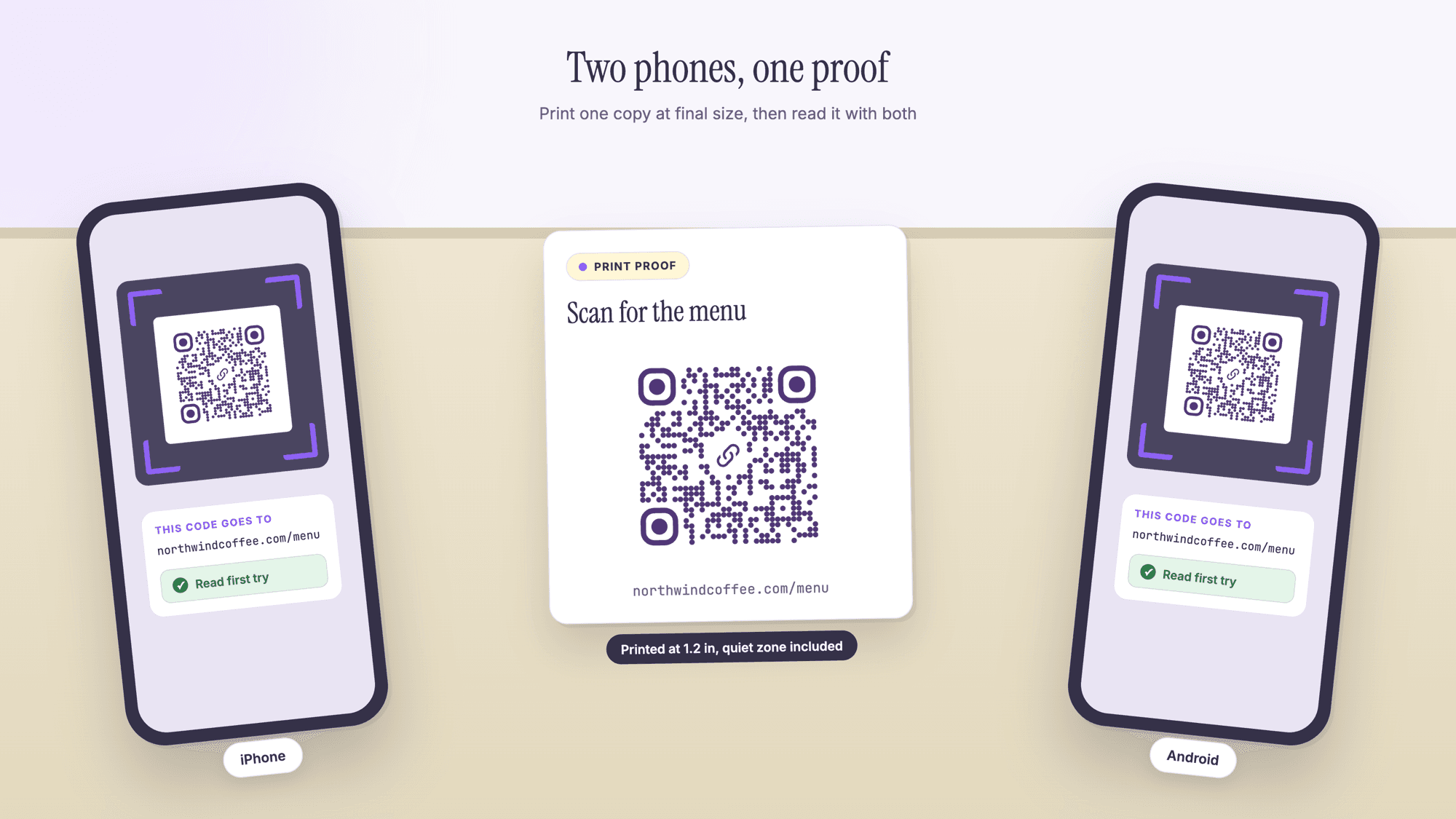
- Test two: scan with two different phones
- Test three: print one at the final size on the final material
- How small can the code be, exactly
- The quiet zone, which proofs lose more than anything else
- Test four: the real distance, the real light
- The file you send to the printer
- The pre-print checklist
- Mistakes a quick test will not catch
- Sources
- Common questions about testing a QR code
Test a QR code in four passes before you print it. Read the code with a scanner to confirm the content is exactly right, scan it from two different phones, print one copy at the final size on the final material, and scan that paper copy from the distance people will really stand at. A code that passes all four is safe to order in bulk. A code that only looked right on screen is not tested at all.
The reason this matters is that a static QR code cannot be corrected after it is printed. A typo in the link, a code printed a quarter inch too small, or a crop that ate the white margin all mean the same thing: a reprint, or a run of flyers that quietly does nothing. This page is the routine, with the sizes worked out, and a checklist you can print and keep. The codes below were made with our free QR code generator and read back with our online QR scanner.
The short version
Read the code, do not trust the preview. The picture on the generator shows what you typed. A scanner shows what a phone will actually receive, which is the thing you are shipping.
Two phones minimum, one iPhone and one Android. Different cameras, different decoders, different behavior when the code is small.
Print one, at final size, on the final stock. Screen scanning proves nothing about ink, gloss, or a 1.1 inch code on a matte card.
Keep the quiet zone. The specification asks for a clear margin four modules wide on all four sides. Designers crop it off constantly.
Use a vector file for print. An SVG or a PDF stays sharp at any size. A small PNG scaled up in a layout turns the squares into mush.
What a tested QR code actually means
Testing a code means checking four separate things, and most failures come from skipping one of them entirely rather than doing all four badly.
The content. Does the code contain the exact link, number or text you intended, with no stray space, no missing https, no leftover tracking parameter from a previous draft?
The decode. Do real phones read it quickly, or do they hesitate and then give up?
The print. Does it survive the actual ink, paper, size and finish you are buying?
The setting. Does it read from where a person will be standing, in the light that room actually has?
Each pass takes a couple of minutes. Together they are the difference between a code that works and a code that looked fine.
Test one: read the code back, do not trust the preview
The first test is the one people skip, and it catches the most expensive mistakes. Read the finished code with a scanner and compare the decoded text against what you meant to encode, character by character.
Download the code, then open the scanner on a computer and drag the file onto it, or paste a screenshot with Command and V on a Mac or Control and V on Windows. It prints the exact content the code carries. If the code is a link, our QR code safety check does the same job and shows the full address without opening it, which is useful when the destination is a shortener or a redirect you want to confirm.
What this pass finds, in rough order of frequency: a link typed without https so the code contains a bare domain that some readers will not treat as a link, a trailing space from a copy and paste, a staging or preview address that was never swapped for the live one, an old UTM campaign from last season, and in contact codes a phone number written in local form with no country code.
Do this before anything else. Every later test is wasted on a code that contains the wrong thing.
Test two: scan with two different phones
One phone proves that one camera and one decoder can read your code. Two proves considerably more, because iPhone and Android take different routes to the same result.
Apple's instructions are to open the Camera app or the Code Scanner control, hold the device so the code appears, then tap the link that comes up. Google's help page for Camera from Google describes a QR mode and the default photo mode, warns that portrait and video modes will not scan a code at all, and has you click the banner that appears. Those are different paths, and a marginal code will pass one and fail the other.
Test with the screen first, then with paper. Check three things each time: that the code is found without hunting, that the banner shows the address you expect, and that the destination opens and looks right on a phone screen rather than a desktop layout.
If you have an older phone in a drawer, use it. The oldest camera in your audience is the one that decides whether your print size was generous enough.
Test three: print one at the final size on the final material
A code on a bright screen is a best case. Paper is where codes fail, and the failure modes are physical: ink spread on uncoated stock, glare on a gloss laminate, a code printed smaller than the layout suggested, and a curve on a cup or a bottle that stops the squares being square.
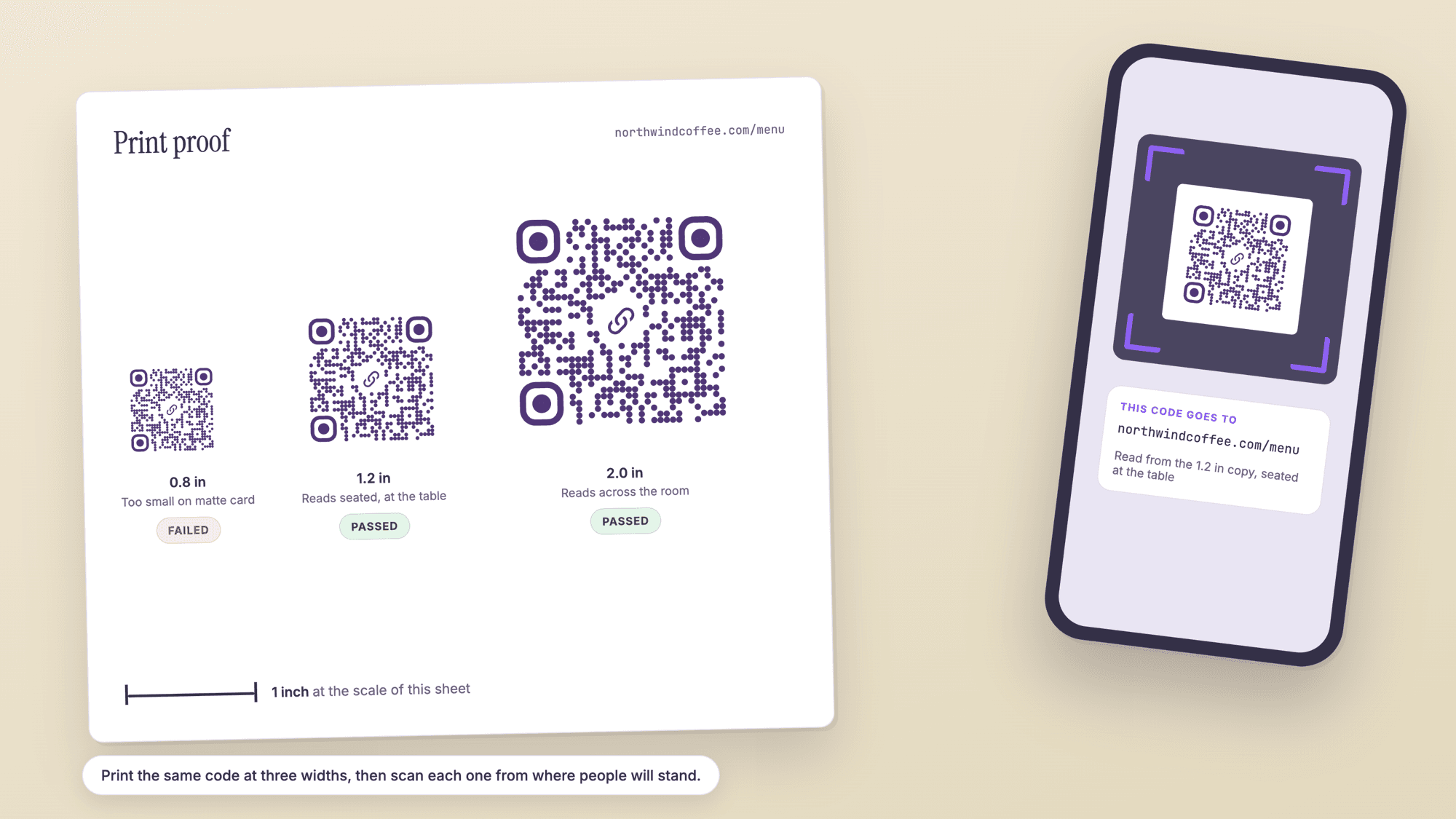
Print a single copy from the real file at the real size, on the real stock if you can get a sheet of it, and scan that. If the printer is producing the job, ask for a hard proof rather than a PDF proof. A PDF proof is the same screen test you already did.
Check the corners of the printed code with a fingernail. Fine lines that look crisp on screen can close up in print, and the three large squares in the corners are the pattern a reader looks for first.
How small can the code be, exactly
Size is where most printed codes are quietly ruined, and it is arithmetic rather than judgment. The size of a code is set by two numbers: how many squares it has, which depends on how much you put in it, and how small each square can be printed.
Denso Wave, which invented the format, works the module size from printer resolution: 25.4 mm per inch divided by the dots per inch, times four dots per module. At 300 dpi that is 0.339 mm per square. At 600 dpi it is 0.169 mm. Their own worked example uses a 400 dpi press, giving 0.254 mm, and adds the margin on top.
We encoded a set of ordinary payloads with the same library our generator uses, at the strongest error correction level, which is what every code from this site uses. The width column is the smallest a 300 dpi press can hold, quiet zone included. Treat it as a floor, not a target.
| What is in the code | Characters | Squares across | Floor at 300 dpi | Print this instead |
|---|---|---|---|---|
| Short link, qrcp.co style | 20 | 29 | 0.49 in | 1.0 in |
| Plain domain | 27 | 33 | 0.55 in | 1.0 in |
| Page address | 39 | 37 | 0.60 in | 1.2 in |
| Map link to a business | 49 | 41 | 0.65 in | 1.2 in |
| WiFi login | 45 | 41 | 0.65 in | 1.2 in |
| Page address with UTM tags | 95 | 53 | 0.81 in | 1.5 in |
| Short contact card | 102 | 57 | 0.87 in | 1.5 in |
Two things fall out of that table. First, shorter content means fewer squares, which means each square is bigger at the same printed width, which means an easier scan. Shortening the link is the cheapest reliability improvement available. Second, the practical width is always well above the floor, because readers are not presses: a phone held at arm's length in a dim room has nothing like 300 dpi of resolving power. The right way to pick the width is to print a strip at three sizes and scan each one from where people will stand.
If your content will not shorten, the QR code character limit explains how the symbol grows and where the ceilings sit.
The quiet zone, which proofs lose more than anything else
Every QR code needs a clear border around it with nothing printed in it. Denso Wave states the requirement in one line: "QR Code requires a four-module wide margin at all sides of a symbol."
Four modules means four of the code's own squares, so the margin scales with the code. On a 33 square code whose pattern is 1.2 inches wide, each square is about 0.036 inches and the margin is about 0.145 inches on every side. The generator includes it in the file. Layouts then remove it, usually in one of four ways: a designer crops tight to the black pixels, the code is placed on a colored panel that reaches the pattern, a border or a frame is drawn around it, or text is set close enough to touch.
Test for it directly. Put a finger over the area just outside the code and scan. If moving the finger changes whether it reads, your margin is too tight. On screen, a quick way to see the same thing is to paste a cropped screenshot into our scanner: a crop with no white edge is one of the most common reasons an otherwise good code will not read.
Test four: the real distance, the real light
Scanning a proof at desk distance under a lamp is a lab test. Where the code lives is the real test, and it usually costs one walk across a room.
Table tent or menu. Sit down first. Scan from a seated position with the card where it will actually stand, not held up to the phone.
Window decal. Stand on the sidewalk in daylight, then again after dark. Glass reflects, and a code behind glass at night usually needs to be larger than one indoors.
Yard sign or banner. Scan from the sidewalk and from inside a parked car, which is where most people actually try. Our guide to QR codes for real estate covers the sign sizes that survive that distance.
Business card. Hand it to somebody else and watch them scan it without instructions. A card code that needs an explanation has already failed. The business card guide has the layout details.
Packaging and cups. Scan on the curve, not on a flat proof. A code wrapped around a small radius distorts, and the usual fix is to move it to a flatter panel rather than to enlarge it.
The file you send to the printer
A QR code is line art, so it belongs in a vector file. Download the SVG for anything going to print, or place it in a PDF. Vector means the squares are described as shapes and stay exact at any size, including a billboard.
A PNG is fine for screens and for a document you will never scale. It fails when someone drops a 300 pixel image into a layout and stretches it to two inches, because the squares acquire soft edges the decoder has to guess at. If a PNG is the only option, export it at least four times larger than the final printed size.
Keep the code pure black on pure white unless you have a reason not to. If you do color it, keep the pattern dark and the background light, never the other way round, and check the contrast on the printed proof rather than on screen. Inverted codes, light on dark, fail in plenty of readers.
The pre-print checklist
Print this, or copy it into the job ticket. Nothing here takes more than a minute and the whole list runs in about ten.
| Step | Check | Pass looks like |
|---|---|---|
| 1 | Decode the file in a scanner | The text matches your intended content exactly |
| 2 | Open the destination on a phone | The page loads fast and fits a phone screen |
| 3 | Scan from an iPhone and an Android phone | Both find it in under two seconds |
| 4 | Confirm the vector file is the one in the layout | SVG or PDF, not a stretched PNG |
| 5 | Measure the code in the layout | At or above the practical width for its size |
| 6 | Check the quiet zone | Four modules of empty space on all four sides |
| 7 | Print one copy at final size on final stock | The paper copy scans as easily as the screen |
| 8 | Scan the paper copy at real distance and light | Works seated, at the window, or from the sidewalk |
| 9 | Add a short line of instruction beside the code | A reader knows what happens before scanning |
| 10 | Decide whether the link may ever change | If yes, print a dynamic code instead of a static one |
Step 10 is the one people regret. A static code is permanent, which is a strength on a plaque and a problem on a seasonal menu. Every free QRCodePrime account includes 10 dynamic QR codes, free for life, with scan analytics, no credit card required, no watermarks, and no ads or interstitial pages on the redirect, so the destination can be changed after printing without touching the artwork. Static codes remain unlimited and free with no account. The trade offs are in static versus dynamic QR codes, and you can make an editable one with the free dynamic QR code generator.
Mistakes a quick test will not catch
A destination that is fine today. Test the page as well as the code. An event page that comes down in November takes a thousand printed codes with it.
A link that redirects through something you do not control. Shorteners and campaign tools can expire or change hands. Point printed codes at your own domain wherever you can.
A page that is slow on mobile data. A scan in a parking lot is not a scan on office WiFi. Load the destination with WiFi turned off.
A code with nothing written beside it. People hesitate when they do not know what a scan will do. Five words above the code lift scans more than any design change.
A code placed where a phone cannot go. Above head height, behind a counter, on the floor, or on a moving vehicle. Stand where the reader will stand before the artwork is signed off.
Skipping the reprint test. If the printer re-rasterizes or shrinks the artwork, the run you receive is not the proof you approved. Scan one piece from the delivered box before the rest go out.
If a code is already printed and failing, the fixes are different and they are collected in QR code not scanning: every fix. If you are worried about someone tampering with a code you printed, see QR code scams and quishing.
Sources
- Denso Wave: Point for determining the code area, including the four module margin and the module size arithmetic
- Denso Wave: Information capacity and versions of the QR Code
- Denso Wave: Error correction feature
- Apple Support: Scan a QR code with your iPhone or iPad
- Google Help: Scan QR codes on Camera from Google
Common questions about testing a QR code
How do I test a QR code before printing it?▾
Decode the file in a scanner and compare the text against what you intended, scan it from an iPhone and an Android phone, print one copy at the final size on the final stock, then scan that paper copy from the distance and in the light people will really use. A code that passes all four is ready to order.
How can I test a QR code without printing it?▾
Open the scanner on QRCodePrime and drag the code file onto it, or paste a screenshot. It reads the picture in your browser and shows the exact content, which catches typos, missing https and stale tracking parameters. That is the content test. The print and distance tests still need one sheet of paper.
What size should a QR code be for printing?▾
It depends on how much is in the code. A plain domain makes a 33 square code, which a 300 dpi press can hold at 0.55 inches including the margin, but that is a floor rather than a target. In practice start at 1 inch for something held in the hand, 1.2 inches for a table or a card, and go up from there with distance.
What is the white space around a QR code called and how big is it?▾
It is the quiet zone. Denso Wave, which created the format, requires a margin four modules wide on all four sides, a module being one of the code's own small squares. On a 33 square code whose pattern is 1.2 inches wide that is about 0.145 inches of clear space on each side, with nothing printed in it.
Should I send the printer an SVG or a PNG?▾
SVG, or a PDF that contains it. A QR code is line art, and a vector file keeps every square exact at any size. A PNG is fine on screen but loses edge definition the moment it is scaled up in a layout. If you must use a PNG, export it at least four times larger than the final printed width.
Do I need to test on both iPhone and Android?▾
Yes, because they take different routes. Apple has you open Camera or the Code Scanner control and tap the link that appears. Google's camera has a QR mode and a default photo mode, and its help page notes that portrait and video modes will not scan at all. A borderline code can pass one and fail the other.
Can I change what a QR code points to after printing?▾
Only if it is a dynamic code. A static code holds the destination inside the pattern, so changing it means reprinting. A dynamic code holds a short redirect you can repoint at any time. Every free QRCodePrime account includes 10 dynamic QR codes, free for life, with scan analytics, no credit card, no watermarks and no ads on the redirect.
How far away can a printed QR code be scanned from?▾
Further as the code gets wider and as the content gets shorter, because both make each square larger for the camera. There is no single number that holds across cameras and lighting, so print a strip of the same code at three widths, scan each one from where people will actually stand, and take the smallest that reads quickly.
Drag the file in or paste a screenshot. It shows the exact content, in your browser, with nothing uploaded.
Read your code before you print itPublished by
QRCodePrime Team
Guides on making, printing and scanning QR codes
Published by the team behind the free QRCodePrime generator and scanner. The example codes in our illustrations are real codes made with the generator, numbers are either computed by us or quoted from a source we name, and the sources are linked at the end of each article. Found a mistake? Email hello@qrcodeprime.com and we will fix it.