
How to Create a QR Code for a URL in Under a Minute
Last updated Sep 27, 2026
On this page
- The three-step version
- Why a shorter link actually matters here
- What the version table actually looks like
- Adding UTM parameters without breaking the code
- Colors and logos, and what they cost you
- Test before you commit to a print run
- When a plain URL is not actually the right type
- What people actually use these for
- How to make a QR code for a link you can change later
- Common questions about URL QR codes
A URL QR code is the plain version, the one that just opens a website, and it is also the one most people actually need. Roughly 91 million US smartphone users scanned a QR code in 2023, a number Statista projects to pass 100 million by 2025, with the US accounting for around 43 percent of all QR scans worldwide. Most of that traffic is going to a link, not a menu or a WiFi network.
The three-step version
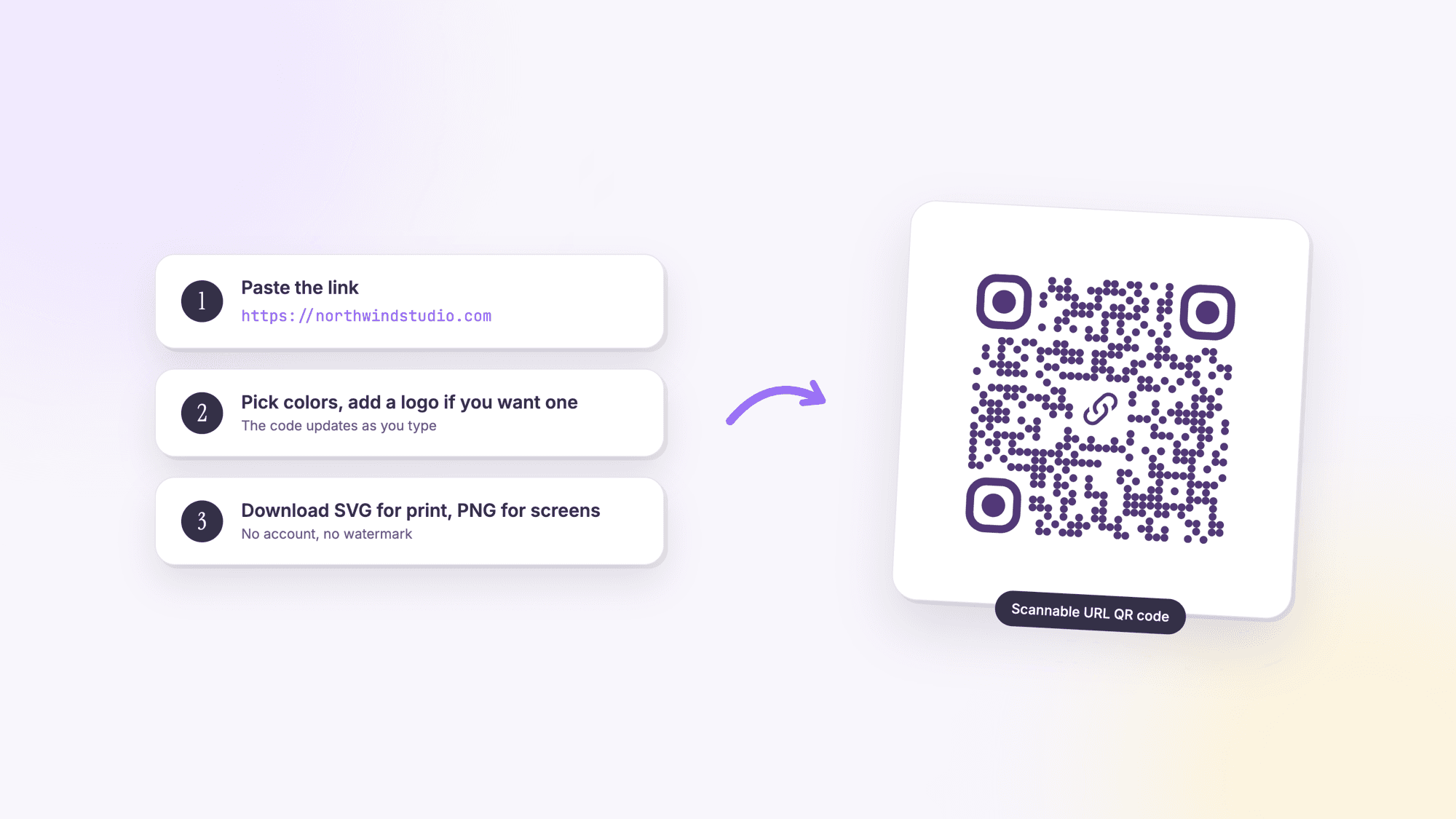
1. Pick the URL type. Use our free URL QR code generator and select the plain link type.
2. Paste the exact link. Include the full https:// address. A missing protocol is the single most common reason a generated code opens the wrong thing or fails silently in some browsers.
3. Download the SVG for print, PNG for screens. SVG scales to any size without pixelating, which matters the moment this code goes on a banner instead of a business card.
Why a shorter link actually matters here
This is one of the few pieces of QR advice that is genuinely backed by the underlying mechanics of the format, not just marketing folklore. Denso Wave, the company that invented the QR code, publishes exact error correction figures: Level L restores up to 7 percent of a damaged code, Level M (the default most generators use) restores 15 percent, Level Q restores 25 percent, and Level H restores 30 percent. Every QR code is built from a fixed grid of modules, called a version, running from Version 1 (21 by 21 modules) up to Version 40 (177 by 177). More data, meaning a longer URL, forces a higher version with more modules packed into the same printed space, which shrinks each individual module and makes the whole code more sensitive to smudging, small print sizes, and bad lighting.
An independent test by software engineer Huon Wilson measured this directly rather than assuming it: encoding the same amount of data at a higher error correction level can require twice the module count of a lower level, and past a certain version, scan success drops meaningfully even with a good camera. The practical takeaway is simple even if the mechanism is technical: a shortened link (bit.ly or similar) produces a lower-version, less dense code that is more forgiving to scan at a distance or on a low-quality print, especially when embedding a logo, which already eats into the error correction budget.
What the version table actually looks like
To make the density point concrete: a Version 1 code at the lowest error correction level holds up to 17 characters as plain text. Version 5 holds 106 characters. Version 10 holds 271. The maximum, Version 40 at the lowest error correction level, holds 2,953 characters, though almost nothing needs anywhere close to that. A typical shortened URL runs 20 to 30 characters, comfortably inside Version 1 or 2. A long tracking URL stuffed with UTM parameters can easily run past 100 characters, pushing into Version 5 or 6 territory and a visibly denser grid. You do not need to calculate this by hand, the generator picks the version automatically based on what you type in, but it explains why two QR codes for two different links can look noticeably different in complexity even though both work fine. For the measured numbers at every error correction level, and the printed width each one needs, see our page on the QR code character limit.
Adding UTM parameters without breaking the code
If this QR code is going on anything you want to track, a flyer, a product tag, an ad, append UTM parameters to the destination URL before generating the code, not after: something like ?utm_source=flyer&utm_medium=qr&utm_campaign=spring2026 tacked onto the end of your normal link. Google Analytics or any similar tool picks these up automatically once someone lands on the page, showing you exactly which physical placement drove the visit. The print marketing guide covers the full tagging convention if you are running more than one placement at a time.
Colors and logos, and what they cost you
Custom colors are free from a scanning standpoint as long as there is strong contrast between the code and its background, dark modules on a light background scans exactly as reliably as pure black on white. A logo in the center is a different trade-off: it covers real data modules, so the generator needs to boost the error correction level to compensate, which increases the module count for the same amount of data. A logo on a short link is usually fine. A logo on an already long, UTM-heavy URL can push the code into a noticeably denser, harder-to-scan version. If you want both a logo and a long tracking link, shortening the link first buys back the room the logo takes up.
Test before you commit to a print run
The failure mode that actually costs money is not a code that never worked, it is a code that worked on screen and failed once printed at the wrong size or in the wrong material. Before ordering 500 flyers or a batch of stickers, print one test copy at the exact size and on the exact material you plan to use, then scan it with two or three different phones under normal lighting, not perfect lighting. A code that scans instantly on a bright office desk can behave differently under dim restaurant lighting or direct sunlight on an outdoor sign. Five minutes of testing catches problems a screen preview cannot.
This matters more for physical signage than for digital use. A QR code embedded in a slide deck or an email is easy to fix and re-send. A QR code on a printed banner or a vinyl storefront decal is expensive to redo, which is exactly why the one-copy test is worth the few minutes it takes.
When a plain URL is not actually the right type
A URL QR code is the default choice, but it is not always the best one for a given piece of information. If the destination is only ever going to be a phone number, a phone QR code skips a whole webpage in between and dials directly. If it is a contact card someone will save, a vCard QR code drops the details straight into their phone's contacts app instead of opening a page they then have to manually save from, and if the contact already exists as a .vcf file you can turn the VCF file into a QR code without retyping it. Use a plain URL when the destination genuinely is a webpage: a menu, a landing page, an article, a form. Use a more specific type when the end goal is really an action a webpage would just be standing in the way of.
What people actually use these for
Bitly's 2025 survey of 250 marketers found the top use cases for QR codes are promotional offers and coupons (51 percent), event information (49 percent), product details (45 percent), video tutorials or demos (37 percent), and loyalty programs (33 percent). Landing pages specifically, the plain "go to our website" use, came in lower at 12 percent, which tracks: most business use cases for a URL QR code are pointing at something more specific than a homepage, a menu, a signup form, a single product page.
For the size question, there is no official standard ratio, despite how often one is quoted. The widely used rule of thumb is that a QR code should be at least one-tenth the scanning distance: a code meant to be scanned from ten feet away should be at least one foot wide. That figure is an industry convention, not an ISO or Denso Wave specification, but it holds up in practice. As an absolute floor, keep any QR code no smaller than about 0.8 inches (2 cm) square if it needs to be scanned by a phone camera at close range, like a business card or product label.
Static QR codes are free and never expire. See the static versus dynamic comparison if you expect to change the destination after printing, or want scan analytics. For most one-off links, static is all you need, and you can build one straight from your phone just as easily as from a laptop.
For a UTM-tagged link meant to track a specific print campaign, the print marketing QR guide covers the tagging pattern in detail.
Still deciding which tool to use? Our honest roundup of the best free QR code generators compares the free tiers, including where each one hides its catch.
How to make a QR code for a link you can change later
A QR code made from a link is static by default: the address is stored in the pattern, so the code keeps pointing at that address for as long as the print exists. That is what you want for a homepage or any page that will stay where it is. It is the wrong choice for a menu, a campaign page or a listing, where the page behind the print will change within the year.
For those, make the code dynamic. A dynamic code stores a short link that forwards to your page, and you can point it at a different page whenever you like without touching the print. On QRCodePrime the short link is always 38 characters, so the code is always 37 squares per side however long your real link is. A 99 character link with tracking tags makes a 57 square static code, which has to be printed about 44 percent wider to keep each square the same size. Every free account includes 10 dynamic QR codes, free for life, with scan analytics, no credit card required and no watermarks. Static codes stay unlimited and free with no account.
The steps for changing a destination are in how to edit a QR code after printing. If you are wondering whether the code you are about to print has a time limit, do QR codes expire explains what each kind depends on, and how to check a downloaded file before it goes to the printer.
Common questions about URL QR codes
Does a shorter URL really make a QR code more reliable?▾
Yes, based on how the format is built. Longer data requires a higher QR version, which packs more modules into the same printed area and shrinks each one. Smaller modules are more sensitive to smudging, low print quality, and poor lighting. A shortened link produces a simpler, more forgiving code.
What error correction level should I use?▾
Level M, which restores up to 15 percent of a damaged code, is the default most generators use and is fine for most print situations. Use a higher level like Q or H if you are adding a logo to the center of the code or printing somewhere it might get dirty or scratched, like a sticker on a bag or a factory floor sign.
How small can a URL QR code be?▾
About 0.8 inches (2 cm) square is a practical floor for scanning with a phone camera at close range. For anything scanned from further away, a common rule of thumb is at least one-tenth of the expected scanning distance.
Do I need to include https:// when generating the code?▾
Yes. Leaving off the protocol is the most common reason a QR code fails to open the right page, or opens a search result instead of the actual site. Always include the full https:// address.
Should I download PNG or SVG?▾
SVG for anything printed, since it scales to any size without pixelating. PNG is fine for digital use, like embedding in an email or a slide, where the display size is fixed and known in advance.
What is the most common use for a URL QR code?▾
A 2025 Bitly survey of 250 marketers found promotional offers (51 percent), event information (49 percent), and product details (45 percent) are the top three uses, ahead of a plain company website link at 12 percent.
Free, no signup, no watermark. Any link, any length.
Make your URL QR code nowPublished by
QRCodePrime Team
Guides on making, printing and scanning QR codes
Published by the team behind the free QRCodePrime generator and scanner. The example codes in our illustrations are real codes made with the generator, numbers are either computed by us or quoted from a source we name, and the sources are linked at the end of each article. Found a mistake? Email hello@qrcodeprime.com and we will fix it.