
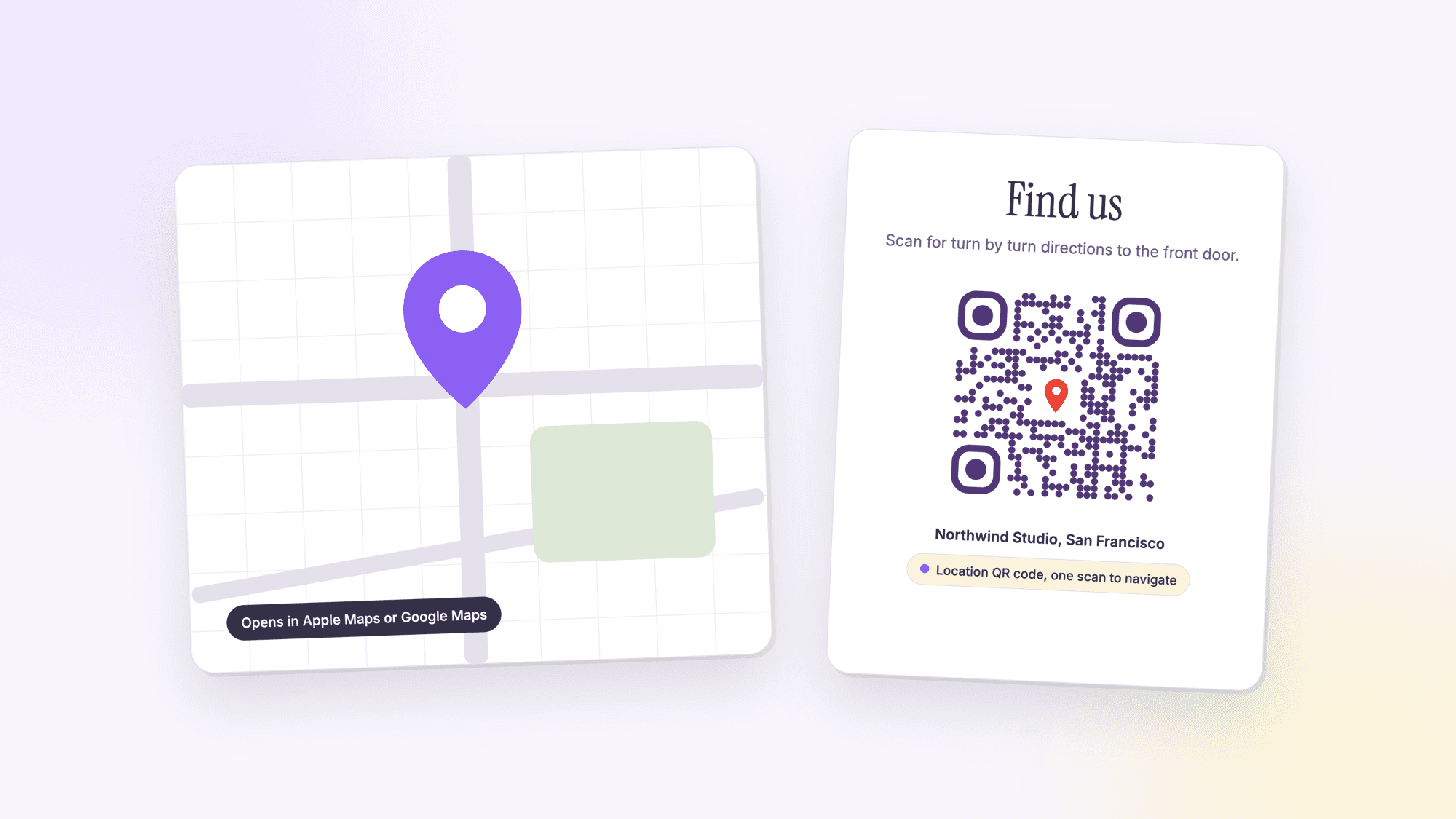
How to Make a QR Code for an Address or Location
Last updated Jul 3, 2026
On this page
- The part most guides get wrong
- Getting exact coordinates when an address is not enough
- Where this earns its keep
- What to do when the pin lands in the wrong place
- Two more situations worth knowing
- What actually happens without one
- Choosing what the destination looks like
- Static is almost always the right call here
- Common questions about location QR codes
Pew Research puts smartphone ownership among US adults at 91 percent, up from 35 percent in 2011. Almost everyone walking up to a yard sign, a wedding venue, or a store window is holding the device they would use to get directions anyway. A location QR code skips the part where they type an address into Maps by hand, sometimes wrong, standing on a sidewalk.
The part most guides get wrong
There is a technical wrinkle worth knowing before you build one. The `geo:` URI scheme (geo:latitude,longitude) is a real, standardized format for encoding coordinates, and Android resolves it natively, offering to open Google Maps or whatever mapping app is installed. iOS does not support the `geo:` scheme the same way. Apple Maps uses its own link format instead. A code built purely on `geo:` can leave iPhone users stuck.
The fix that works across both platforms is a Google Maps web URL (the kind that looks like maps.google.com/maps?q=... or includes the coordinates in the query string). Opened on Android, it offers to launch the Google Maps app. Opened on an iPhone, it opens in Safari and still gives full directions, or prompts to open in Google Maps if that app is installed. It is the more reliable single format if you want one QR code that works for every visitor regardless of phone. For a street address rather than a pin, see our guide to making an address QR code, which compares every link format with its print size. For a pin you already have open in Google Maps, the Google Maps QR code guide shows which of the four Maps links to paste and what each one opens on an iPhone.
A Google Maps link also handles Apple Maps' own quirks better than trying to build an Apple-specific link by hand. Apple does publish its own map link format (maps.apple.com), which works well if your audience is guaranteed to be on iPhone, but a business or event that cannot control what phone a visitor carries is better served by the one format that degrades gracefully everywhere: Google Maps in a browser, on any device, with no app requirement to see the pin and get directions.

Getting exact coordinates when an address is not enough
Most locations work fine with a plain street address. For anything without a clean address, a specific gate at a large venue, a spot in a park, a loading dock behind a building, coordinates are more precise. Open Google Maps, long-press on the exact spot until a red pin drops, and the coordinates appear at the bottom of the screen or in the search bar. Copy those numbers and paste them into the generator instead of an address. The result is a QR code that points at that exact spot, not just the general building it happens to be near.
Where this earns its keep
Real estate. A yard sign QR that opens the exact listing address in Maps, not just the agent's website, saves a buyer from typing an address while standing at the curb. This matters most for listings set back from the road, on a street with a confusing house-numbering pattern, or on a corner lot where the actual entrance is not obvious from the sign's location. Pair it with a vCard QR for the agent's contact info so both the where and the who to call live on the same sign, ideally as two clearly labeled codes rather than one that tries to do both.
Events. Wedding invitations, conference badges, and festival flyers benefit from a QR that opens the venue directly in Maps, especially for venues with confusing parking or a name that does not match what shows up in a search. A venue called "The Grand Hall" might share its name with a dozen unrelated results in a generic search. A direct pin skips that entirely. See the full events QR code guide for check-in and wayfinding beyond just directions.
Retail and pop-ups. A flyer, a package insert, or a pop-up shop banner that says "find us" with a QR pointed straight at the storefront removes the step where a customer has to remember the store name to search for it later. This is especially useful for a temporary location, a farmers market stall or a seasonal pop-up, that will not show up reliably in a general search the way an established storefront does.
What to do when the pin lands in the wrong place
Occasionally a plain address search resolves to the wrong building, especially for new construction, a unit number within a larger complex, or an address that recently changed. Before printing anything at scale, test the generated link yourself: scan the code, confirm the pin drops exactly where you expect, and only then commit to a full print run. If the address version is unreliable, switch to the coordinate method described above, which points at an exact spot rather than relying on an address lookup to guess correctly.
Two more situations worth knowing
Curbside pickup and parking. A retail location that offers curbside pickup can put a location QR code on its own, separate from the general storefront listing, pointed at the specific parking spots reserved for pickup rather than the main entrance. This is a small detail that saves a customer from circling the building once looking for where to actually park.
Multi-building campuses. Hospitals, universities, and corporate campuses often have one official address covering several buildings. A location QR code on a specific building's signage, using coordinates rather than the shared campus address, gets a visitor to the right building instead of the general campus entrance, where they would otherwise need a second round of directions once they arrive.
In both cases the underlying method is the same one covered above: when a shared or ambiguous address is not precise enough, drop a pin and use the coordinates instead.
What actually happens without one
Picture a visitor standing outside an unfamiliar building, typing an address into Maps one letter at a time with one hand while holding a flyer in the other. Autocomplete suggests three similarly named streets in the metro area before landing on the right one. A location QR code removes every one of those steps: one scan, and the exact pin is already dropped, already correct, with turn-by-turn directions one tap away. The value is not really about saving time on any single visit, it is about removing the moment where someone gives up and decides to come back another day instead of finishing the search standing on a sidewalk.
This is also why a location QR code pairs so naturally with other information on the same piece of signage or paper. A flyer that already tells someone what a business is and when it is open loses most of its value if the last step, actually getting there, is left to a manual search. The QR code closes that gap for free.
Choosing what the destination looks like
A location QR code does not have to dump someone straight into a maps app with no context. Some businesses point the code at a short landing page instead, one with the address, a parking note, and a single button labeled Get Directions that then opens Maps. This middle step costs one extra tap but gives you room to add a note a raw map pin cannot: which entrance to use, where parking is free versus paid, or a reminder that the address shows a shared building lobby rather than a specific suite. For most signage, going straight to Maps is simpler and perfectly fine. The landing page approach earns its keep specifically when the location itself needs a sentence of explanation that a pin alone cannot provide.
Static is almost always the right call here
Unless a business relocates or an event venue changes at the last minute, a location does not move. A static QR code, free and permanent, covers nearly every use case in this article. Save dynamic QR codes for the rare case where you print signage before a venue is finalized and need to update the destination later without reprinting.
Build one with our free location QR code generator, paste the address, and it handles the Maps link format for you.
For a single one-off code with no tracking needed, the plain generator on the homepage handles it in one step.
Common questions about location QR codes
Will a location QR code open Apple Maps on an iPhone?▾
Not automatically if the code uses the raw geo: URI format, since iOS does not support that scheme the way Android does. A Google Maps web URL works more reliably across both platforms: it opens directly in the Google Maps app on Android, and opens in Safari with full directions (or offers to hand off to Google Maps if installed) on iPhone.
Should I use an address or exact coordinates?▾
An address is simpler to set up and works fine for most storefronts and venues with a standard street address. Coordinates are more precise for locations without a clean address, like a specific spot in a large park or a venue with a confusing entrance separate from its listed address.
Do I need a dynamic QR code for a yard sign?▾
Usually not. A property address does not change while it is listed, so a static QR code works and never expires. Consider a dynamic code only if you print signage before you have finalized details and expect to update the destination later.
Can I combine a location QR code with contact info?▾
A single QR code can only point to one destination, so location and contact info need separate codes if both need to be a direct, one-scan action. A common pattern is a small landing page with two buttons, get directions and save contact, linked from one QR code.
What about a campus or complex with multiple buildings under one address?▾
Use coordinates for the specific building rather than the shared street address. A hospital, university, or corporate campus often has one official address covering several structures, and a coordinate-based code on that specific building's signage gets a visitor there directly instead of to the general campus entrance.
Does this work for a location that does not have a formal address?▾
Yes, using coordinates instead of a street address. Drop a pin at the exact spot in Google Maps, copy the coordinates, and use those when generating the code instead of typing an address.
Free, no signup, no watermark. Works for yard signs, venues, and storefronts.
Make your location QR code nowPublished by
QRCodePrime Team
Guides on making, printing and scanning QR codes
Published by the team behind the free QRCodePrime generator and scanner. The example codes in our illustrations are real codes made with the generator, numbers are either computed by us or quoted from a source we name, and the sources are linked at the end of each article. Found a mistake? Email hello@qrcodeprime.com and we will fix it.