
QR Code Menu for Restaurants: Setup, Sizes and Mistakes
Last updated Oct 25, 2026
On this page
- The short version
- Which restaurants a QR menu suits
- What guests say about QR menus
- The page behind the code
- Print sizes and placements that get scanned
- The bill folder code for Google reviews
- Why scans do not turn into menu views
- Static or dynamic for a menu
- Counter service, pickup and more than the menu
- Common QR menu mistakes
- Sources
- Common questions about QR menus for restaurants
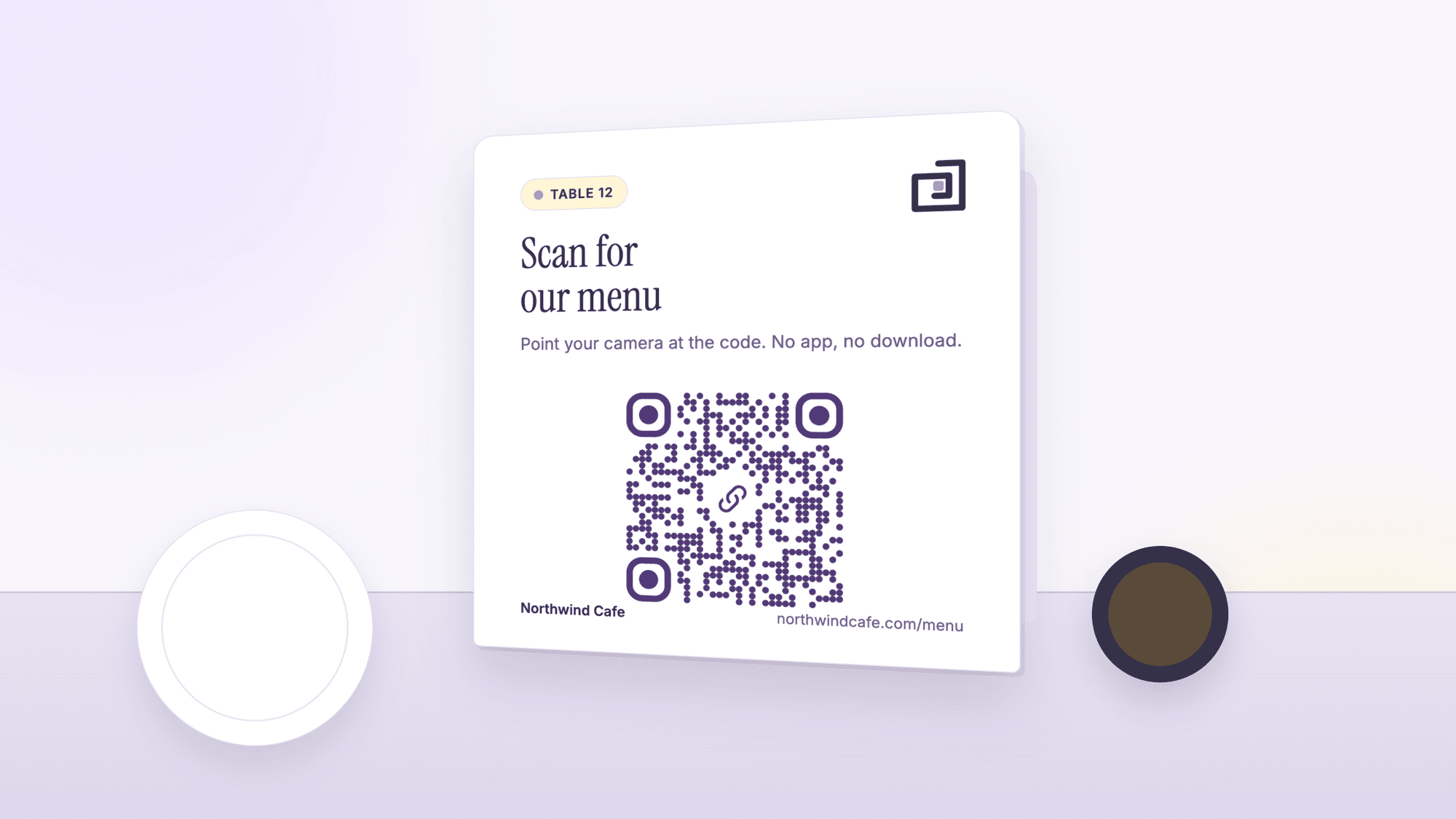
A QR code menu is a URL QR code on a table tent, a sticker or a window sign that opens the restaurant's menu page on a guest's phone. To set one up, publish the menu as a fast mobile web page, paste its address into a free QR code generator, download the SVG, print it at least 1 inch wide with its white margin, and scan the print at a table before the first service.
The code itself is the easy part. What decides whether guests use it is the page behind it, the size and place of the print, and whether the restaurant also hands a printed menu to anyone who asks. The print sizes below were computed on October 25, 2026 with the same encoder the generator uses, and the survey figures are quoted from the reporting that published them.
The short version
The page is the product. A menu that loads fast as a web page, with the dishes visible at once, gets used. A PDF that has to be zoomed does not. Host the menu at an address on the restaurant's own domain if there is one.
Print above the computed floor and keep the margin. A 38 character menu link makes a 37 square code whose smallest readable print, margin included, is 14.9 mm (0.58 inches) at 300 dpi. Start test prints at 1 inch on a table tent and 2 inches on a window.
Static for a menu on your own domain, dynamic when the address may change. On QRCodePrime, static QR codes are unlimited and free with no account, and every free account includes 10 dynamic QR codes, free for life, with scan analytics. No credit card required, no watermarks, and no ads on the site or on the redirect.
Keep printed menus at the host stand. A 2023 survey reported by Restaurant Dive found almost half of consumers uncomfortable with phone-based menus, and two thirds of those over 60. The code is an option, not the only way in.
Watch this guide in 2 minutes
Chapters and transcript
- 0:04 Make a free QR code menuWant a free QR code menu for your restaurant? Here is how to make one, step by step.
- 0:10 Copy your menu linkStep one. Put your menu on a web page, then copy the menu link from the address bar.
- 0:29 Paste it, then downloadStep two. Open the free generator, the address is on screen. Paste your link into the website box, then click Download SVG. No sign up needed.
- 0:39 Print, then scan itStep three. Print it at least 1 inch wide on a table tent, keep the white border, and scan it with your phone before guests arrive.
- 0:56 Put your menu on a web pageStep one. Put your menu on a web page. If your menu is already on your website, open that page and copy its link from the address bar. If it is not online yet, a free site builder like Google Sites can host it. A web page works better than a PDF, because guests can read it without zooming.
- 1:05 Open the free generatorStep two. Open the free generator. The address is on screen, and you do not need to sign up. Your menu is a link, so keep the URL tab selected.
- 1:19 Static or dynamic?Step three. Choose Static QR code if your menu link will stay the same. It is free, with no account. Choose Dynamic QR code if the link might change later. You can then change where it points without reprinting. Every free account includes 10 dynamic codes.
- 1:35 Paste your menu linkStep four. Click the website box and paste your menu link. The download buttons switch on as soon as there is a link in the box.
- 1:52 Download the SVGStep five. You can pick colours and add your logo, but keep the code dark on a light background. Then click Download SVG. An SVG stays sharp at any size, so it is the best file for printing.
Which restaurants a QR menu suits
A QR menu suits any place whose menu changes more often than it can afford to reprint, and any place where guests order from a table. It suits a counter with a menu board far less, because the board is already in front of the guest. Fine dining is a style decision rather than a technical one; a printed list is part of the service some guests pay for, and a code on the table can be added for the wine list or the allergen sheet without replacing it.
The useful test is simple: if the menu changed in the last quarter and the printed copies did not, a QR menu solves a real problem. If the complaint is that nobody scans the code that already exists, the first thing to check is the page behind it, not the code.
What guests say about QR menus
The best public numbers are from 2023 and they argue for keeping paper available. Restaurant Dive reported a William Blair survey in which "Over 45% of consumers said they aren't comfortable using QR codes via their mobile phones to view menus, order and pay," and noted the trend: "43% saying they felt uncomfortable during a December survey, which bumped up to 47% during a March survey." Age was the dividing line: "Among those most uncomfortable using this technology are consumers over the age of 60, with 65% saying they weren't comfortable viewing menus and ordering at restaurants in this manner."
The same article cited the National Restaurant Association's State of the Restaurant Industry 2023 report, "which revealed that 46% of baby boomers were interested in accessing menus on their phones via a QR code versus 73% of Gen Z adults." Two things follow for a dining room. First, print the menu address in small type under every code, so a guest who will not scan can still type it. Second, keep a stack of printed menus where staff can hand one over without a conversation about it. No sourced figure was found for how many guests give up on a slow menu page, so that point is made in words below.
The page behind the code
The format of the menu page decides the whole experience, and it also decides the size of the code, because the link to a PDF or a published document is longer than the link to a page. The table was built on October 25, 2026 by encoding each example link with the qrcode-generator library at error correction level H, the level the generator uses, and converting squares to a print floor with Denso Wave's figure of four printer dots per square at 300 dpi plus the four square margin on each side.
| Menu format | What a guest gets on a phone | Example link length | Squares per side | Smallest print with margin |
|---|---|---|---|---|
| A web page on the restaurant's own domain | The menu at once, in the restaurant's own look | 38 characters | 37 | 14.9 mm (0.58 in) |
| A page on a site builder's subdomain | The same, with the builder's address and branding | 39 characters | 37 | 14.9 mm (0.58 in) |
| A point of sale system's hosted menu | The menu synced with the register, with the platform's branding | Varies by platform | Varies | Measure the real link |
| A PDF on the restaurant's domain | A document that opens in a viewer and has to be zoomed | 65 characters | 49 | 18.8 mm (0.74 in) |
| A published Google Doc | A document page with a long address | 110 characters | 57 | 21.4 mm (0.84 in) |
| A delivery app listing | The app's ordering flow, with the app's fees on any order placed through it | Varies | Varies | Not for dine-in tables |
A plain web page wins twice: it is the fastest thing to open, and its short address makes the smallest code. Rebuilding a PDF menu as a page removes the zooming and the longer link in one move. Squarespace, Webflow, Google Sites and a plain HTML file on the restaurant's hosting all produce a page that loads on a phone; the choice between them is about who updates the menu and how often.
Print sizes and placements that get scanned
Three placements cover most dining rooms, and each has a different reading distance. The floors in the table are the computed minimum for a 37 square code; the test print sizes are where to start, because card stock, laminate and lighting all take something away. Denso Wave's rule on the white border applies to all of them: "QR Code requires a four-module wide margin at all sides of a symbol."
| Placement | Who scans it | Start the test print at | Notes |
|---|---|---|---|
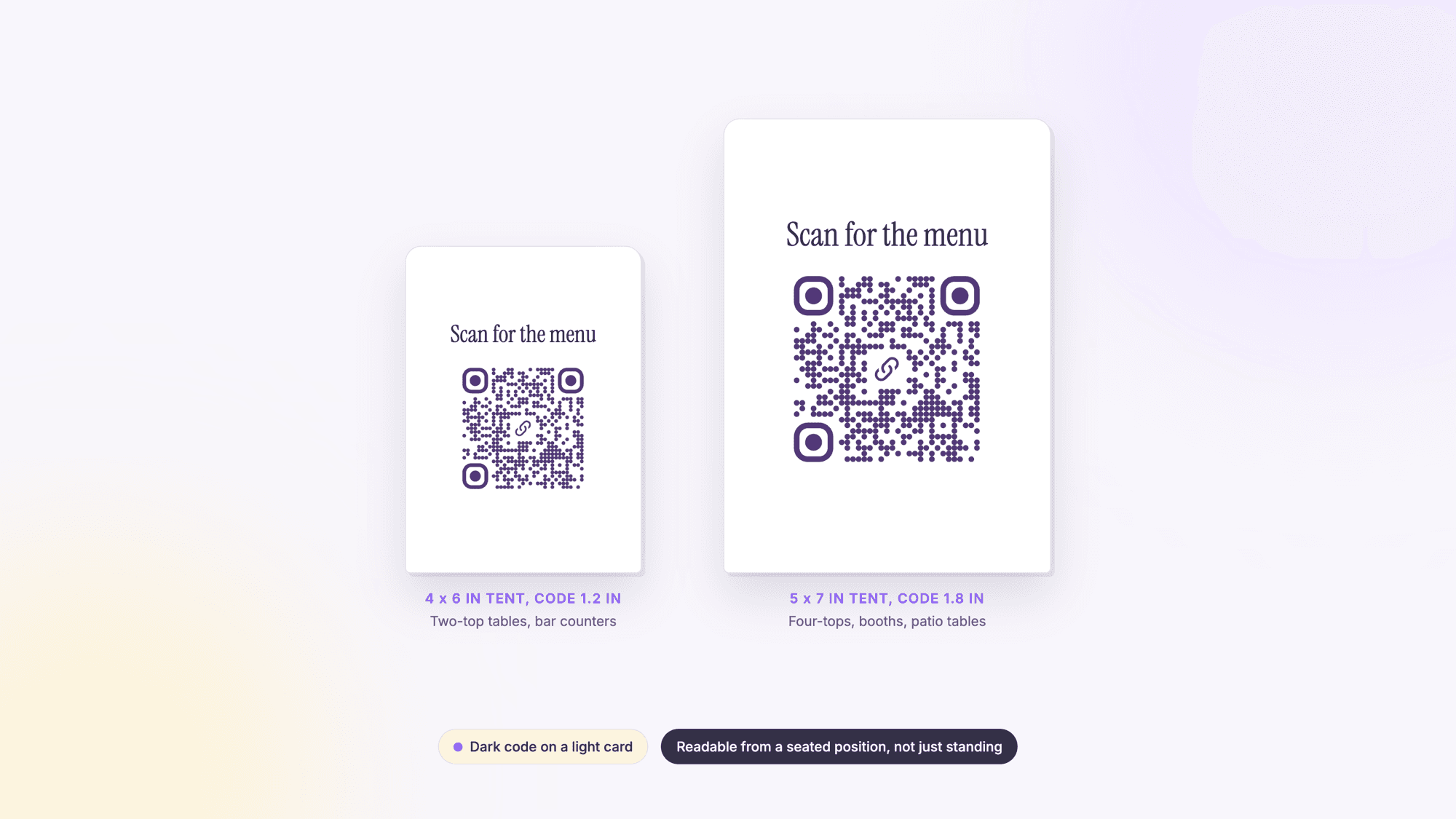
| Table tent | A seated guest at arm's length | 1 to 1.25 inches (25 to 32 mm) | Matte laminate so it does not glare under spotlights; print the menu address under the code |
| Table edge sticker | A seated guest, looking down | 1 inch (25 mm) | Vinyl rather than paper; wipe-downs lift paper. Check it weekly for a sticker placed over it |
| Bill folder or receipt | A guest at the end of the meal | 1.25 inches (32 mm) | The best spot for a review code, not a menu code |
| Window or door decal | A passerby on the sidewalk | 2 inches (50 mm) and up | Test from where people stand, not from inside |
| Sandwich board or menu board | Someone in a line | 3 inches (75 mm) and up | One code, large, with a line that says what it opens |
Make the code with the URL QR code generator, paste the menu address, and download the SVG; it scales to any print size without blurring. A WiFi QR code on the same tent saves the password conversation. Test every print the way the print test guide describes, with an iPhone and an Android phone on cellular data, then read it with the online QR scanner to see the exact address inside. The sticker check matters because a code on a table is easy to cover with another; the QR code scams guide shows what that looks like.
The bill folder code for Google reviews
The end of the meal is the moment a guest has an opinion, and a code on the bill folder that opens the Google review form turns that moment into a review with one scan and one tap. The Google reviews QR code guide shows how to get the direct review link for a listing and how to print it.
One rule from Google decides how the page behind that code may behave. Google's content policy for Maps lists what merchants may not do, including "Discourage or prohibit negative reviews, or selectively solicit positive reviews from customers," and it adds that "merchants should not require or pressure users to leave ratings or write reviews while on the premises." So the code opens the review form for everyone, with no star filter in front of it, and the sign beside it asks rather than pushes. Keep this code off the menu tent: a guest who has not eaten yet has nothing to review.
Why scans do not turn into menu views
When a code is scanned and the menu is not read, the usual cause is the page, not the code. A page that opens with a full screen photo or a video, loads several fonts, or sits on a slow host makes the guest wait on cellular data, and the guest blames the code. The check is to open the menu page on a phone with mobile data, not on the restaurant's WiFi, and watch how long the dishes take to appear. A page with the menu text first and the photos below it, hosted on the restaurant's own domain, is the fix to try first, and the printed code does not change.
Static or dynamic for a menu
A menu at a stable address on the restaurant's own domain needs a static code. The page changes whenever the menu changes, and the address never does, so the printed tents never need replacing. A dynamic code earns its place when the address itself may change: a menu hosted by a point of sale platform that may be switched, a seasonal menu on its own page, a promotion that will point somewhere else next month. Static codes have no expiry date at all, as the guide to QR code expiry explains.
The difference is in what the printed pattern holds. A static code holds the menu address. A dynamic code holds a short link on qrcodeprime.com, and the dashboard decides where that link goes; the redirect answers with HTTP 302 and tells phones not to cache it, so an edit applies to the next scan, and a deleted dynamic code lands on a page that says the code is not active. The static versus dynamic comparison has the full trade-off and the guide to editing a QR code after printing walks through a change. On QRCodePrime, static codes are free with no account, and every free account includes 10 dynamic QR codes, free for life, with scan analytics, no credit card required and no watermarks. The scan counts are how a restaurant learns whether the tents or the window decal does the work.
Counter service, pickup and more than the menu
Counter service moves the code to where the line forms: the door, a sandwich board outside, the back of the receipt. The guest wants to read the menu before reaching the register, not after. The board on the wall stays. A lobby waitlist that works by text message is a different code again; the SMS QR code guide shows what it holds and what the phone does with it.
Pickup and delivery move it to the bag. A code on the bag seal that opens a page with two buttons, leave a review and order again, reaches the customer while the food is still warm. A dynamic code there lets the destination change with the season without reprinting the labels.
Two more codes earn a place in a dining room. A WiFi code on the table saves staff repeating the password. A playlist QR code on the counter lets a guest take the cafe's music home; the playlist has to be public for the code to work. The restaurants page collects the codes a restaurant can use and the sizes for each.
Common QR menu mistakes
No address under the code. A guest with an old phone, a cracked camera lens or no wish to scan can still type a short address. Print it in small type under every code.
A PDF behind the code. It opens as a document that has to be zoomed, and its longer link makes a bigger code. Rebuild it as a page.
Cropping the white margin to fit the tent. The four square margin is part of the code. A tent designed without it fails the scan before the design is noticed.
One code doing three jobs. A menu code opens the menu. A review code opens the review form. A code that opens a landing page with five buttons at the start of a meal loses the guest who only wanted the menu.
Testing only on the restaurant's WiFi. Guests are on cellular data. Test the page on a phone with WiFi turned off.
Never checking the tables. A sticker placed over a table code sends every guest somewhere else. Look at the codes during the weekly clean, and read one with the online scanner now and then to confirm the address.
Sources
- Restaurant Dive: Study: 47% of consumers not comfortable using QR codes in restaurants (2023)
- Google Maps user generated content policy: Prohibited and restricted content
- Denso Wave: Point for determining the code area (the four module margin)
- Apple Support: Scan a QR code with your iPhone or iPad
- Google Pixel Help: Scan QR codes with your Pixel phone
Common questions about QR menus for restaurants
How do I make a QR code menu without using an app?▾
No app is needed to make or to scan one. Publish the menu as a web page on the restaurant's site, Google Sites or a site builder, paste the page's address into the URL QR code generator, and download the SVG. Guests scan it with the camera app already on their phone: Apple's support page says to hold the device so the code appears, then tap the link, and Google's Pixel help says the camera recognizes the code without taking a picture.
What size should I print a QR code for a table tent?▾
A 38 character menu link makes a 37 square code whose computed floor, white margin included, is 14.9 mm (0.58 inches) at 300 dpi. Start the test print at 1 inch (25 mm) on a table tent and go to 1.25 inches in a dim room or on textured stock, then scan the real print from a seat. Download the SVG rather than the PNG so the code stays sharp at any size.
Should I use a static or dynamic QR code for my menu?▾
Static if the menu lives at a stable address the restaurant controls, such as its own domain; update the page and the printed code never changes. Dynamic if the address itself may change, for example a menu hosted by a point of sale platform or a seasonal page. On QRCodePrime static codes are free with no account, and every free account includes 10 dynamic QR codes, free for life, with scan analytics, no credit card required and no watermarks.
Will my customers need to download anything to scan?▾
No. The camera app on iPhone and on Android phones reads QR codes and shows a link to tap, as Apple's and Google's support pages describe. The friction comes after the scan: a PDF menu opens as a document that has to be zoomed, and a slow page keeps the guest waiting. Build the menu as a web page and the whole flow is one scan and one tap.
How do I track which QR menu placement gets the most scans?▾
Make a separate dynamic code for each placement, such as the table tents, the door and the receipts; the dashboard counts the scans of each one. A free QRCodePrime account includes 10 dynamic QR codes, free for life, with scan analytics. If the codes are static, give each placement its own address with a different utm_source tag and read the numbers in the site's analytics.
What happens if I change my menu? Do I need a new QR code?▾
If the menu is a page at a stable address, no. Edit the page and every guest who scans tomorrow sees the new version. A new code is needed only when the address changes, which is why a menu on the restaurant's own domain is safer than a listing whose link a platform may change. A dynamic code covers that case too, because its destination is edited in the dashboard.
Paste the menu page's address, download the SVG, and print. Static QR codes are unlimited and free with no account. Every free account includes 10 dynamic QR codes, free for life, with scan analytics. No credit card, no watermarks.
Make a menu QR code freePublished by
QRCodePrime Team
Guides on making, printing and scanning QR codes
Published by the team behind the free QRCodePrime generator and scanner. The example codes in our illustrations are real codes made with the generator, numbers are either computed by us or quoted from a source we name, and the sources are linked at the end of each article. Found a mistake? Email hello@qrcodeprime.com and we will fix it.