
Playlist QR Code: Spotify, Apple Music and YouTube Music
Last updated Oct 25, 2026
On this page
- The short version
- Which link to copy on Spotify, Apple Music and YouTube Music
- How to make a playlist QR code in five steps
- The privacy setting that decides whether the code works
- What the link length does to the printed code
- One code for every service
- A playlist that changes, and a code that has to change
- Collaborative playlists: a code that lets guests add songs
- Where the code goes and how big to print it
- What opens when someone scans it
- Common playlist QR code mistakes
- Sources
- Common questions about playlist QR codes
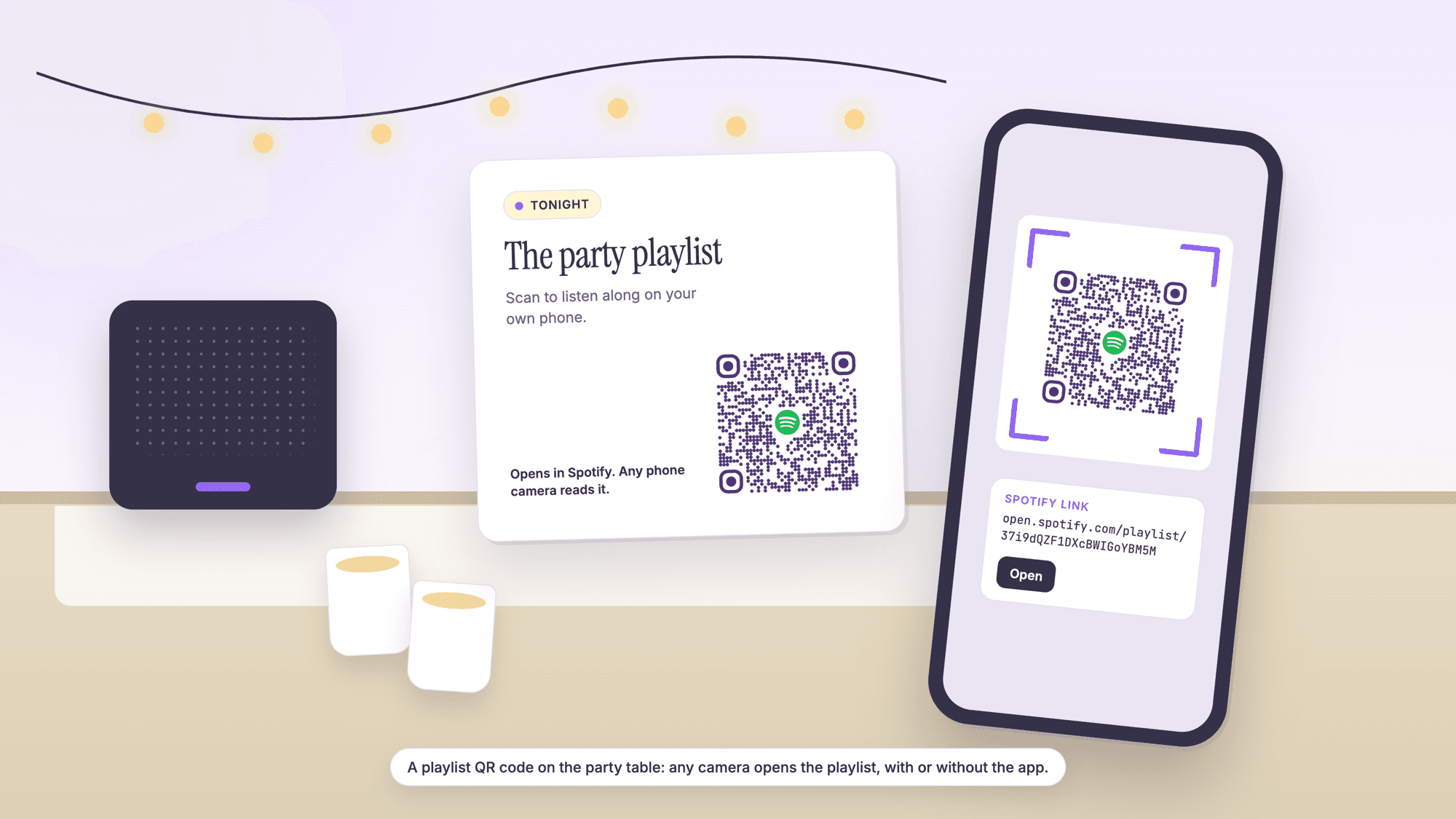
A playlist QR code is a standard QR code that holds the share link of a playlist, so any phone camera opens it on Spotify, Apple Music, YouTube Music or another service. To make one, copy the playlist link from the app's Share menu, paste it into a free QR code generator as a link, download the SVG, and scan the print. One setting decides whether it works: the playlist has to be public, or on YouTube at least unlisted.
The three services differ in the link each one hands out and in the privacy setting that can turn a printed code into a dead end. Every statement below about Spotify, Apple Music and YouTube Music is quoted from their own help pages, read on October 25, 2026, and every print size was computed the same day with the encoder the generator uses.
The short version
Set the playlist to public before you print. Spotify's help page says that when a playlist is private, "nobody can access it, even if they have a link to it or search for it by name." YouTube's private playlists cannot share a link at all; unlisted and public ones can.
Copy the playlist link, not a song link, and delete the tracking parameter. The address contains the word playlist on all three services. A bare Spotify playlist link makes a 41 square code, the same link with its ?si= parameter makes a 49 square code, and a tracked YouTube Music link reaches 57 squares.
Make it a QR code, not a Spotify Code. Only the scanner inside the Spotify app reads a Spotify Code; every phone camera reads a QR code.
On QRCodePrime, static QR codes are unlimited and free with no account, and every free account includes 10 dynamic QR codes, free for life, with scan analytics. No credit card required, no watermarks, and no ads on the site or on the redirect.
Which link to copy on Spotify, Apple Music and YouTube Music
Each service has a Share button on the playlist page, and the link it copies is the one that goes in the code. The table shows where the button is and what the link looks like, from the services' own help pages.
| Service | Where the link comes from | What a playlist link looks like | What to remove |
|---|---|---|---|
| Spotify | On a phone, the three dot menu, then Share, then the copy link option; on a computer, right-click the playlist, where Spotify lists "Copy Link" and "Copy embed code" | open.spotify.com/playlist/ followed by a 22 character ID | Everything from ?si= onward |
| Apple Music | On an iPhone, open the playlist and tap the Share button; on the web, the More button offers "Copy Link: Copies the link to the Clipboard." | music.apple.com/us/playlist/ followed by the playlist name and an ID that starts with pl. | Nothing; keep the link as copied |
| YouTube Music | Open the playlist, select Menu, then Share; Google's page notes "You can also copy the link for later use." | music.youtube.com/playlist?list= followed by the playlist ID | Everything from the si parameter onward |
| YouTube | "To share a playlist, copy the URL from your browser when you're visiting the playlist page." | youtube.com/playlist?list= followed by the playlist ID | Everything after the ID; the address must say playlist, not watch |
Spotify's share page covers the catalog in one line, "Share songs, albums, artists, playlists, podcasts, and your profile from the app." Apple's iPhone page says a playlist can be shared "in a message, email, or with AirDrop"; sending it to yourself in Messages shows the address. The example links in this article were checked on October 25, 2026 against Spotify's and YouTube's oEmbed endpoints and Apple's page, which returned the titles Today's Top Hits, Popular Music Videos and Today's Hits.
How to make a playlist QR code in five steps
The job takes a few minutes. Step 1 is the one the ranking guides leave out.
Step 1. Make the playlist public, or on YouTube at least unlisted. On Spotify, "All new playlists you create are public by default." On YouTube and YouTube Music the owner chooses public, unlisted or private, and only the first two can share a link. On Apple Music, test the copied link from a phone signed in to a different account.
Step 2. Open the playlist page, not a song inside it, and copy the link with the Share button. Confirm that the address contains the word playlist.
Step 3. Paste the link into the generator. A Spotify link goes into the Spotify QR code generator, a YouTube or YouTube Music link into the YouTube QR code generator, and an Apple Music link or any other service into the URL QR code generator. All three encode the link exactly as pasted, and no account is needed for a static code.
Step 4. Choose a plain center or a logo. The Spotify page starts with the Spotify icon in the center; the strip above the preview switches to Plain or to an uploaded logo. Read the logo section of the Spotify QR code guide before putting a service's logo on anything sold.
Step 5. Download the SVG for print, then scan the print. Test with an iPhone and an Android phone, including one without the app, then read the print with the online QR scanner, which shows the exact address inside the code and labels an open.spotify.com address "Spotify link" and a youtube.com address "YouTube link".
If the playlist may change, make the code dynamic in step 3. A free QRCodePrime account includes 10 dynamic QR codes, free for life, with scan analytics, no credit card required and no watermarks; the free dynamic QR code generator lists the types that can be dynamic, and URL, Spotify and YouTube codes are three of them.
The privacy setting that decides whether the code works
A QR code only carries the link; the service decides who may open it, and a private playlist stops every scan. None of the pages that rank for this query mention it.
| Service | What a new playlist is | Who can open a link to it | What the service says about private playlists |
|---|---|---|---|
| Spotify | Public by default | Anyone, while the playlist is public | "When you make a playlist private, nobody can access it, even if they have a link to it or search for it by name." Links shared from a private playlist to chosen people "will expire after 7 days." |
| Apple Music | In your library; a public profile is separate | Apple documents sharing by link; a public playlist on a profile is about search: "you can make a playlist public so anyone can find it when they search Apple Music." | Not described on Apple's page, so test the link from another account before printing |
| YouTube and YouTube Music | Owner chooses public, unlisted or private | Public: "Anyone can watch and share Public videos and playlists." Unlisted: "Anyone with the video link can watch and share Unlisted videos and playlists." | Private: Google's table lists Can share URL as No, so there is no link to put in a code |
On YouTube, unlisted is the setting for a playlist that should open from a code without showing up in search, and Google adds one more condition: "If your playlist includes any private videos, you'll need to invite your friends to view the videos first."
What the link length does to the printed code
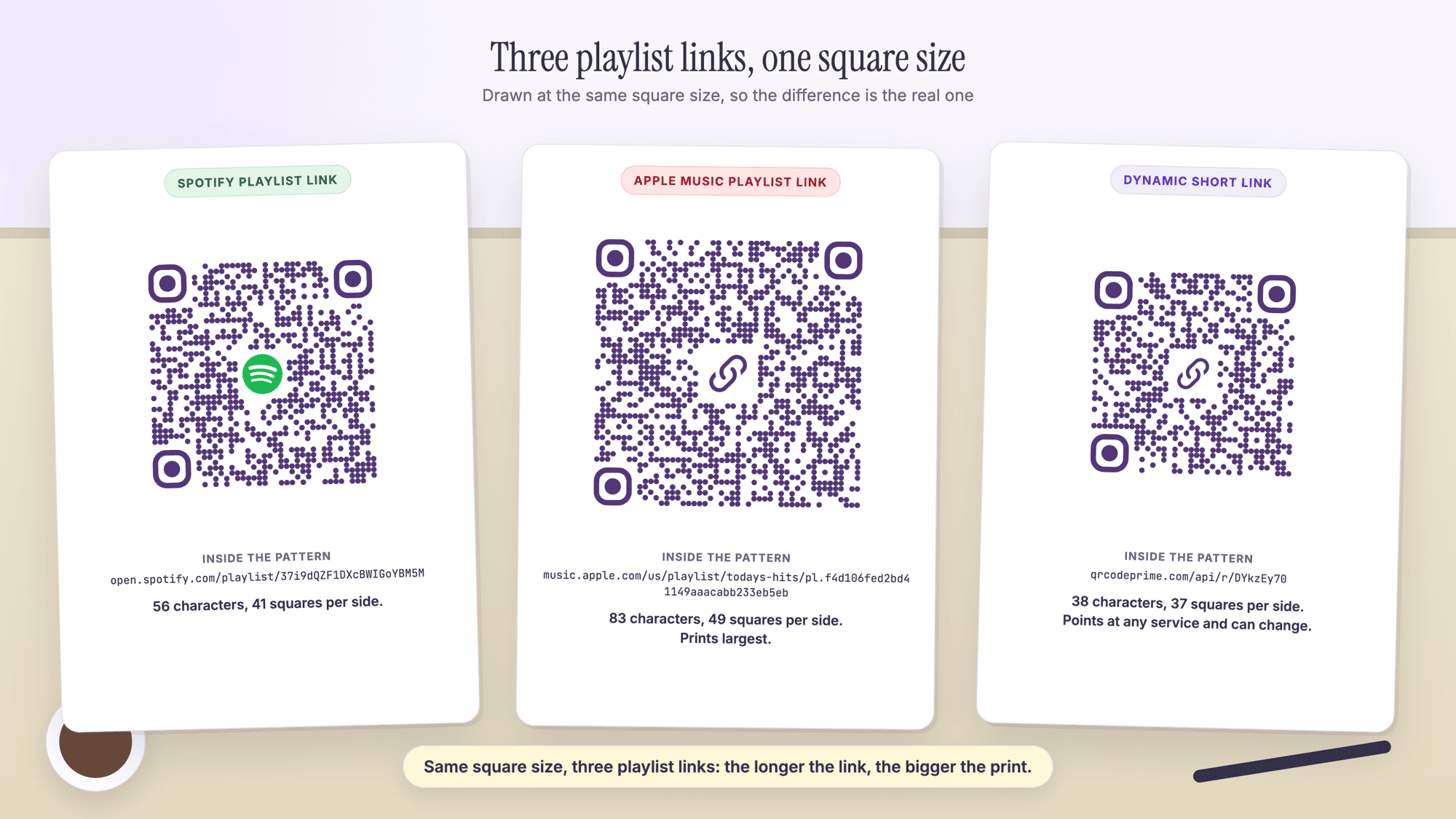
The longer the link, the more squares the code has, and the larger it must be printed to stay readable. The table was built on October 25, 2026 by encoding each link with the qrcode-generator library at error correction level H, the level the generator uses everywhere, and converting squares to a print floor with Denso Wave's figure of four printer dots per square at 300 dpi plus the four square margin on each side.
| What is inside the code | Characters | Squares per side | Smallest print width with margin |
|---|---|---|---|
| Spotify playlist link | 56 | 41 | 16.2 mm (0.64 in) |
| Spotify playlist link with a 20 character ?si= parameter | 77 | 49 | 18.8 mm (0.74 in) |
| Apple Music playlist link | 83 | 49 | 18.8 mm (0.74 in) |
| YouTube Music playlist link | 83 | 49 | 18.8 mm (0.74 in) |
| YouTube Music playlist link with a 16 character si parameter | 103 | 57 | 21.4 mm (0.84 in) |
| Your own page that lists every service | 42 | 37 | 14.9 mm (0.58 in) |
| QRCodePrime dynamic short link | 38 | 37 | 14.9 mm (0.58 in) |
The steps are the QR code versions. At level H the 37 square version holds 44 characters, the 41 square version 58 and the 49 square version 84. Apple Music and YouTube Music playlist links both land at 83 characters, one under the 49 square limit, so any added parameter pushes them up a size; the character limit guide has the full version table.
One code for every service
A code that opens Spotify does nothing for a guest who only has Apple Music. Three honest ways to handle it:
Three codes, one per service, each labeled. The simplest, at the cost of space for three codes and their margins.
One code to a page you control that lists all three. A page on your own site, or a free link page, with three buttons. The link to that page is short, so the code is small (42 characters and 37 squares above), and adding a fourth service later changes the page, not the print. Several generators sell a hosted version of this page; a page of your own does the same job and stays yours.
One dynamic code. The printed pattern holds the short link, and the destination is whichever playlist or page you choose. On QRCodePrime, static codes are free with no account, and every free account includes 10 dynamic QR codes, free for life, with scan analytics, no credit card required and no watermarks.
A playlist that changes, and a code that has to change
A playlist's link does not change when its songs change, so a static code keeps working as the playlist grows. Spotify states this for its own Codes, which carry the same ID: "You can change a playlist title and contents after creating a Spotify Code and it should still work as long as the URI does not change."
What breaks a static code is a change of destination: a different playlist each season in a cafe, or a move from one service to another. A dynamic code survives that. The printed pattern holds the short link, and the playlist link behind it is edited in the dashboard; the redirect answers with HTTP 302 and tells phones not to cache it, so an edit applies to the next scan, and a deleted dynamic code lands on a page that says the code is not active. The guide to editing a QR code after printing walks through it, do QR codes expire covers the static side, and the static versus dynamic comparison has the full trade-off.
Collaborative playlists: a code that lets guests add songs
A playlist code at a wedding, a party or an office often has a second job: letting people add songs. Each service handles the invite differently, which decides whether the invite can be printed at all.
Spotify. "Make any playlist Collaborative to let your friends add, remove, and reorder tracks." The documented route for a private playlist is Invite collaborators, which "generates a link that's valid for 7 days." A printed code holding that link is dead after a week, so generate it in the week of the event, or print a dynamic code and replace its destination with a fresh invite link when the old one expires.
Apple Music. Apple's guide is explicit about who can join: "If you don't turn on this option, anyone with the link can join the collaborative playlist." The option is Approve Collaborators, which lets the owner accept or decline each request. For a printed card, send yourself the invite link, copy it, and put that link in the code; turn on Approve Collaborators if strangers will see the card.
YouTube and YouTube Music. "If your playlist isn't unlisted or public yet, you'll be asked to make it shareable before your invite is sent." Collaborators add videos, and "Ranked voting allows collaborators to decide the order in which the videos in your playlist appear."
Whichever service, a collaborative code lets anyone who scans it change the list, so it belongs on the table, not in the window.
Where the code goes and how big to print it
The floors above are for a code held in the hand. A code read from further away needs to be larger, and the honest way to size it is a test print scanned from the real distance, as the print test guide describes. The table gives starting sizes for a 49 square code; the events page, the events guide and the restaurants page cover programs, signage and table cards.
| Placement | Who scans it and from where | Start the test print at | Notes |
|---|---|---|---|
| Wedding or party table card | A seated guest, arm's length | 1 to 1.25 inches (25 to 32 mm) | One line under it: Scan to listen, or Scan to add a song |
| Cafe counter sign, studio or gym poster | A standing customer, a few feet away | 1.5 to 2 inches (38 to 50 mm) | Print the service name beside the code so people know what will open |
| Window or large poster | From the sidewalk | 3 inches (75 mm) and up | Test from the far side of the sidewalk |
What opens when someone scans it
A scan opens the link, and the service decides between its app and its web page. Spotify's web player help describes "our web player" as a way to play from the browser; Apple says a shared link opens "in Apple Music on the web, where they can play it, add it to their library and more"; Google says of YouTube Music that "When you share a song or podcast, it will open in YouTube Music for your friends to enjoy." Whether a listener then needs an account or a plan to press play is up to the service, not the code. If a print will not read at all, the troubleshooting guide lists the fixes by symptom.
Common playlist QR code mistakes
Printing a code to a private playlist. The code is fine; the page behind it refuses everyone. Make the playlist public, or unlisted on YouTube, before the first test scan.
Copying a song link instead of the playlist link. A link that says /track/ or /watch?v= opens one song. The address of a playlist contains the word playlist on all three services.
Leaving the tracking parameter in. It adds squares and nothing else. Delete everything from the question mark on a Spotify link and from the si parameter on a YouTube link.
Printing a Spotify Code for the general public. Phone cameras do not read it. Make a QR code from the share link; the Spotify QR code guide explains both formats.
Cropping the white margin to fit a design. Denso Wave, the company that invented the QR code, states that "QR Code requires a four-module wide margin at all sides of a symbol."
Sources
- Spotify Support: Playlist privacy and access
- Spotify Support: Collaborative playlists
- Spotify Support: Share from Spotify
- Spotify Codes: frequently asked questions
- Apple Support: How to share an Apple Music playlist on your iPhone
- Apple Support: Share music from Apple Music on the web
- Apple Support: Collaborate on a playlist in Music on iPhone
- YouTube Help: Share playlists
- YouTube Help: Change playlist privacy setting
- YouTube Help: Collaborate on playlists
- YouTube Music Help: Share music and podcasts
- Denso Wave: Point for determining the code area (the four module margin)
Common questions about playlist QR codes
How do I get a QR code for a Spotify playlist?▾
Open the playlist in Spotify, tap the three dot menu, tap Share and copy the link; it starts with open.spotify.com/playlist/. Delete anything from ?si= onward, paste the link into the Spotify QR code generator, download the SVG, and scan a test print. The playlist has to be public, because Spotify blocks every link to a private playlist.
Can I make a QR code for an Apple Music playlist?▾
Yes. Open the playlist in the Music app, tap Share and send the link to yourself, or use Copy Link on Apple Music on the web, then paste the music.apple.com link into the URL QR code generator. The link is about 83 characters and makes a 49 square code, so print it at least 0.74 inches wide with its margin.
Is there a QR code for a YouTube playlist?▾
Yes. Copy the playlist address from the browser on the playlist page, or with Share in the YouTube Music app; it contains playlist?list= followed by the ID. Delete the si parameter the app appends and paste it into the YouTube QR code generator. The playlist must be public or unlisted; a private one has no shareable link.
Does a playlist QR code stop working when I add or remove songs?▾
No. The code holds the playlist's link, and the link stays the same when songs are added, removed or reordered, or when the playlist is renamed. Spotify says the same about its own Codes: title and contents can change and the code works as long as the ID does not change. The code stops working only if the playlist is deleted or made private.
Can people scan a playlist QR code without the app?▾
Yes. Any phone camera reads a QR code, and the link opens in the browser if the app is not installed: Spotify's web player, Apple Music on the web, or YouTube Music in the browser. Whether the listener needs an account or a plan to play the music is decided by the service. A Spotify Code is different and needs the Spotify app's scanner.
Does a private playlist work with a QR code?▾
No. On Spotify a private playlist cannot be opened even by someone who has the link, and a private YouTube playlist has no shareable link at all. Make the playlist public, or unlisted on YouTube if it should open from the code without appearing in search. On Apple Music, test the shared link from another account before printing.
Can a QR code let guests add songs to my playlist?▾
Yes, by putting the collaborative invite link in the code. On Spotify the invite link for a private playlist is valid for 7 days, so generate it close to the event or use a dynamic code whose destination you can refresh. On Apple Music anyone with the link can join unless Approve Collaborators is on. On YouTube Music the playlist must be unlisted or public first.
Paste the playlist link, download the SVG, and print. Static QR codes are unlimited and free with no account. Every free account includes 10 dynamic QR codes, free for life, with scan analytics. No credit card, no watermarks.
Make a playlist QR code freePublished by
QRCodePrime Team
Guides on making, printing and scanning QR codes
Published by the team behind the free QRCodePrime generator and scanner. The example codes in our illustrations are real codes made with the generator, numbers are either computed by us or quoted from a source we name, and the sources are linked at the end of each article. Found a mistake? Email hello@qrcodeprime.com and we will fix it.