
Text to QR Code: Put Plain Text in a QR Code
Last updated Sep 13, 2026
On this page
- The short version
- What a plain text QR code actually holds
- How to make a text QR code
- What happens when someone scans it
- Text code or link code: which one your job needs
- How much text fits before a code gets hard to scan
- Line breaks, accents, and emoji
- How big to print a text QR code
- Where a plain text code is the right answer
- Mistakes that make text codes fail
- Sources
- Common questions about text QR codes
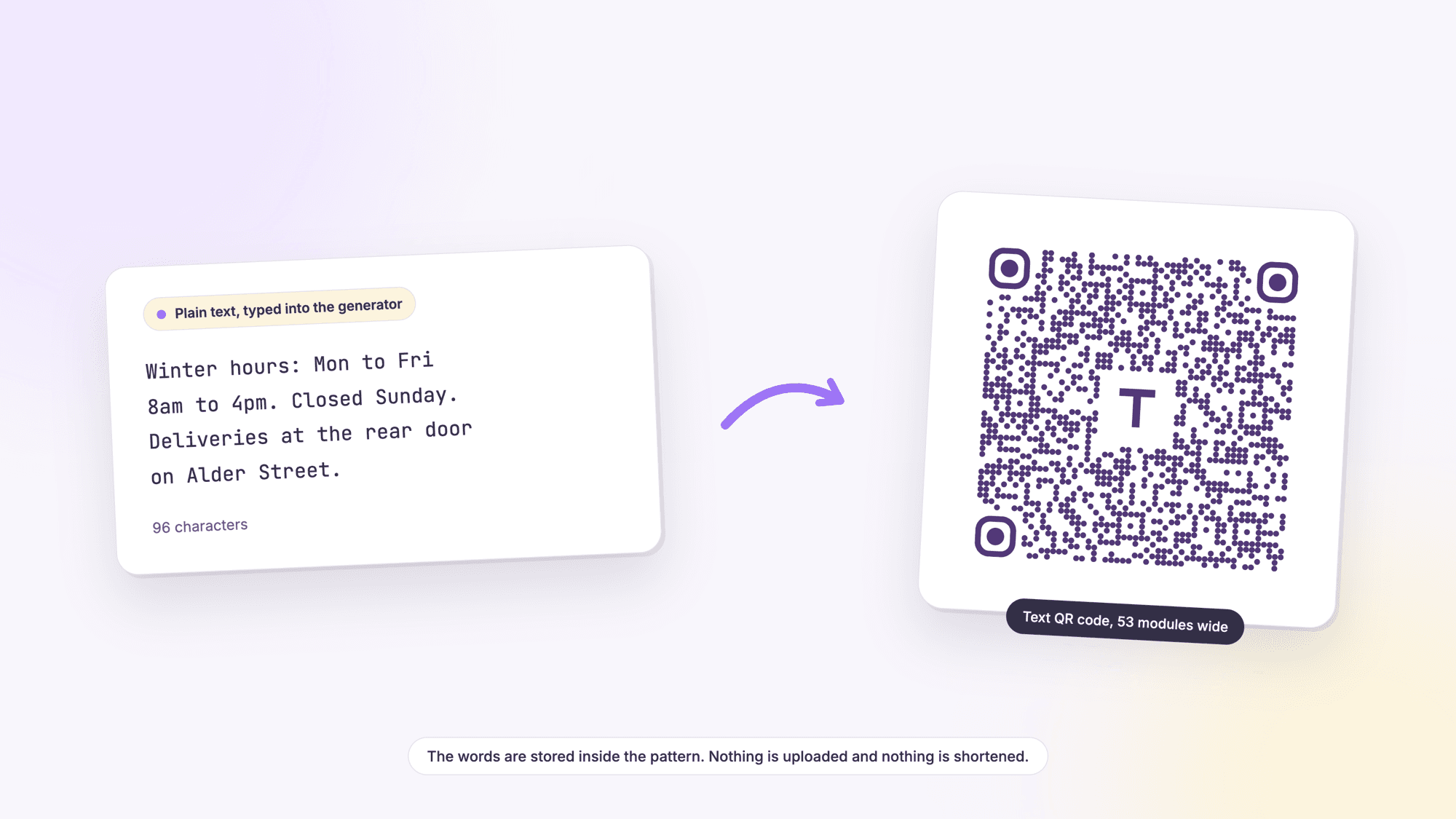
A text QR code holds words, not a link to words. You type what you want people to read, download the code, and anyone who points a phone at it sees exactly those characters on screen. Nothing loads, nothing gets shortened, and no connection is needed. Making one takes about a minute and costs nothing.
That simplicity is both the appeal and the limit. A plain text code can never be edited once it is printed, it cannot count scans, and it grows physically larger with every sentence you add. This page covers how to make one, what different phones actually do with it, how much text realistically fits, how big to print it, and the jobs where a link would serve you better. The tool is on our text QR code generator, and the free QR code generator on the homepage has the same field alongside every other code type.
The short version
Making one. Type your message into the Text Content box on the text QR code page, download the PNG for screens or the SVG for print, and you are done. Static codes are unlimited and free with no account, no watermark, and no ads.
Length. Keep it under about 300 characters if the code will be printed small, and under 100 if it will be printed on something the size of a label. The code gets denser and harder to read the more you type.
What the reader gets. Words on a screen. There is no page to open, so there is no tap-through and no click to measure.
It is permanent. The text lives inside the pattern, which is why it works with no signal and why it can never be changed after printing. If the message might change, encode a link and edit the page instead. QR code expiry, explained covers what that permanence means for every code type.
What a plain text QR code actually holds
Every QR code is a container for one string of characters. What makes a code a WiFi code, a contact code, or a link code is not the pattern, it is the shape of the string inside it. A link code holds something starting with https, which a phone recognizes as a web address. A WiFi code holds a string starting with WIFI:, a contact code holds one starting with BEGIN:VCARD, and an SMS code holds one starting with sms:. The guide to making a WiFi QR code shows one of those prefixed formats in full.
A plain text code has no prefix at all. It is just the characters you typed. When a reader decodes it, the software checks for a recognizable opening, finds none, and falls back to the only sensible behavior left: showing you the characters. That is the whole mechanism, and everything else on this page follows from it.
One practical consequence surprises people. If you paste a web address into the text field, you have made a code containing a web address, which many readers will still detect and offer to open, but some will show as plain characters that the reader has to copy by hand. If you want a link, use the URL QR code generator so the code is built as a link from the start.
How to make a text QR code
1. Open the generator. Go to the text QR code page. The field you want is labeled Text Content.
2. Type or paste your message. The box accepts line breaks, so a short list or a two line address keeps its shape. Everything you type is counted, including spaces and punctuation.
3. Read it back once, out loud if you can. This is the step people skip and regret. A typo inside a static code is not a typo you can fix later; it is a reprint.
4. Style it if you want to. Color and a center logo are fine as long as the code stays dark on a light background. Our generator builds every code at error correction level H, the highest of the four, which is what makes a center logo safe.
5. Download the right file. SVG for anything that will be printed, because it is vector and stays sharp at any size. PNG for a screen, a slide, or a document.
6. Test it before it goes anywhere. Print it at the size you plan to use, then scan the paper with an iPhone and an Android phone in ordinary room light. Reading it on your monitor proves nothing about how it prints. The four pass QR code test is the full routine.
What happens when someone scans it
On an iPhone. Apple documents two ways in: the Camera app, opened from the Home Screen, Lock Screen, or Control Center, and a separate Code Scanner control that can be added to Control Center. Apple's instruction for a normal code is to hold the phone up and tap the link that appears. A plain text code has no link, so there is nothing to tap. What surfaces is the text itself, and what you can do with it next depends on the app you scanned with.
On Android. Google is explicit about this. Its help page for Camera from Google says that scanning a QR code can open a browser, view text, or open an app such as a payment app. Viewing text is a first class outcome, not an error state.
In any other scanner. Third party scanner apps, the scanner built into many banking and retail apps, and our own browser based scanner all do the same thing with a text code: they decode it and show you the result. Some offer to copy it or search it, some do not.
Design for that reality. A text code ends with a person reading something, not tapping something. If the words are too long to read comfortably on a phone screen, the code is doing the wrong job. And if you want the scan to trigger an action, such as dialing, texting, or opening a map, use the code type built for it rather than hoping the reader detects a phone number buried in a sentence.
Text code or link code: which one your job needs
| Text QR code | Link QR code | |
|---|---|---|
| What the reader gets | The words, on screen | A page, opening in their browser |
| Needs a connection | No | Yes |
| Changeable after printing | Never | Yes, if the code is dynamic or the page is yours |
| Scan counting | No | Yes, with a dynamic code |
| Amount of detail it can carry | A short paragraph at most | A whole page, pictures included |
| Code size for the same message | Grows with every character | Stays small, because the link is short |
| Still works in ten years | Yes, nothing to keep alive | Only while the page and the redirect exist |
| Best for | Short facts that will not change | Anything long, visual, or likely to change |
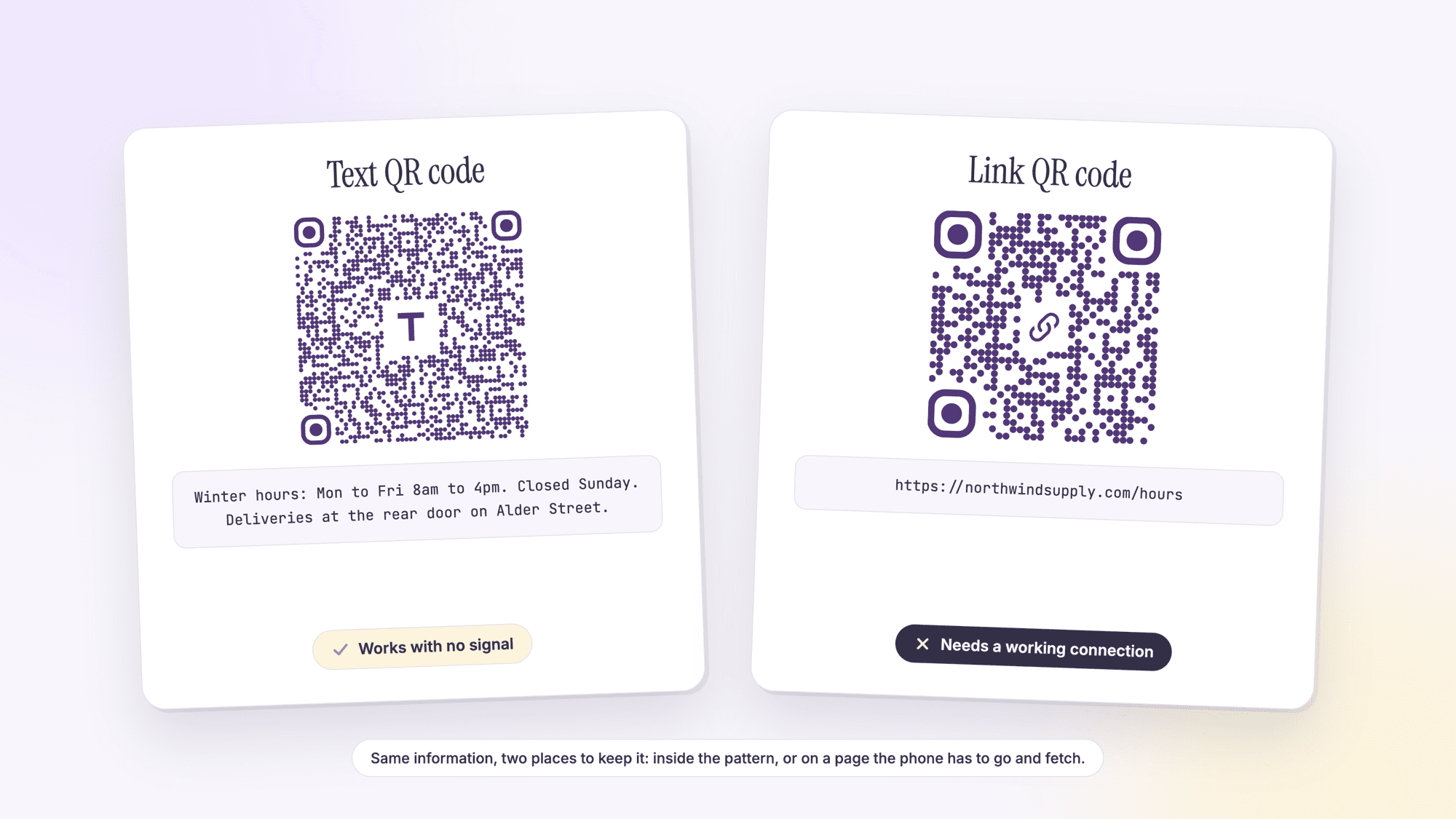
The third column of that table is the one that decides most arguments. A text code cannot be edited, full stop, because there is no server in the loop at all. A link code can be pointed somewhere new if it is dynamic, and on QRCodePrime every free account includes 10 dynamic QR codes, free for life, with scan analytics, no credit card, no watermarks, and no ads on the redirect. Our comparison of static and dynamic QR codes walks through the tradeoff properly.
How much text fits before a code gets hard to scan
There is a specification answer and a practical answer, and they are far apart. The specification allows an enormous amount of data, up to 2,953 bytes at the lowest error correction level. The practical answer depends on the level your generator uses and on the fact that a phone camera has to resolve every square in the grid.
We measured this with the same open source library the site runs on, encoding text of each length and reading back the symbol version and its module count. A module is one square in the grid, and a QR code runs from version 1 at 21 modules a side up to version 40 at 177, gaining four modules with every step. Our generator always uses level H, so the H column is what you will actually get here. Level L is the loosest setting and is included to show the range.
| Characters of plain text | At level H (our generator) | At level L | How it feels |
|---|---|---|---|
| 25 | Version 4, 33 modules | Version 2, 25 modules | Chunky and forgiving |
| 50 | Version 6, 41 modules | Version 3, 29 modules | Still easy |
| 100 | Version 10, 57 modules | Version 5, 37 modules | Comfortable on paper |
| 300 | Version 18, 89 modules | Version 11, 61 modules | Needs room and a clean print |
| 500 | Version 24, 113 modules | Version 15, 77 modules | Fussy on anything small |
| 1,000 | Version 36, 161 modules | Version 22, 105 modules | Poster territory |
| 1,273 | Version 40, 177 modules (the ceiling) | Version 25, 117 modules | The most level H will hold |
Two numbers are worth remembering out of that table. At level H, 1,273 characters is a hard ceiling: the generator physically cannot make a code past it. And the jump from 100 characters to 300 costs you 32 extra modules, which is most of the reason a wordy code refuses to scan off a small label. Our piece on the QR code character limit goes through the full maximums, the encoding modes, and what to do when your content simply will not fit.
Line breaks, accents, and emoji
Line breaks work. The Text Content field is a multi line box, so a two line address or a short list keeps its shape when it is decoded. Each line break is a character and counts against the length.
Lowercase letters cost you space. The QR specification defines separate character types with different efficiencies. Denso Wave, which invented the format, lists them as numeric, alphanumeric, binary, and kanji. Alphanumeric mode covers digits, uppercase letters, and a small set of symbols, and it packs more characters into the same area than binary mode does. The moment your text contains a single lowercase letter, the whole string has to be encoded as binary. If you are right on the edge of a size you can print, setting the text in capitals can genuinely shrink the code.
Accents and emoji usually work, but test them. Characters outside plain English go through the binary mode, and readers do not all agree on how to interpret those bytes. Most modern phones handle accented letters and emoji correctly. Some older scanners and some industrial readers do not, and you get replacement characters instead. If your text contains anything outside the basic English keyboard, scan it with more than one phone before you commit it to print.
Watch for curly quotes. Text pasted from a word processor often carries typographic apostrophes and quotation marks that are not the plain ASCII ones. They will encode, and they will usually decode, but they are a common cause of a code that reads strangely on one device. Typing straight into the generator avoids the problem entirely.
How big to print a text QR code
Size is not a matter of taste with a text code, because the module count is set by how much you typed. Denso Wave publishes a table of module sizes by printer resolution: a 300 dpi printer laying four dots per module gives a module of 0.33 mm, and the company recommends at least four dots per module for stable reading. The specification also requires a blank quiet zone four modules wide on every side of the symbol. Put those together and the minimum width of any code is simply the module count plus eight, multiplied by the module size.
| Your message | Grid at level H | With quiet zone | Minimum printed width |
|---|---|---|---|
| 21 characters, one short line | 29 modules | 37 modules | 12.2 mm, about 0.5 inch |
| 96 characters, a short notice | 53 modules | 61 modules | 20.1 mm, about 0.8 inch |
| 301 characters, a paragraph | 89 modules | 97 modules | 32.0 mm, about 1.26 inches |
| 1,273 characters, the ceiling | 177 modules | 185 modules | 61.1 mm, about 2.4 inches |
Those are floors for a clean print on smooth white stock, read from close up. Three things push them upward: distance, because a code read from across a room needs to be far larger than one read at arm's length; surface, because textured paper, curved packaging, and glossy finishes all blur module edges; and contrast, because anything other than a dark code on a light background costs you reading reliability. When in doubt, print it bigger. Nobody has ever complained that a QR code scanned too easily.
Where a plain text code is the right answer
Equipment and asset tags. A serial number, a model number, a filter size, and a service interval on a sticker attached to a machine. The information does not change, the person reading it is standing in a plant room with no signal, and a link would be useless there.
Delivery and access instructions. A back door sign that says where to leave a pallet and which bell to ring. Short, permanent, and readable by a driver whose phone is on a slow connection in a loading bay.
Exhibit and shelf labels. A museum caption, a plant label in a nursery, a care instruction on a piece of furniture. The text is the whole point and a web page would be overkill.
Classroom material. A vocabulary list, an answer key, a short set of instructions taped to a workstation. Our guide to QR codes for teachers and the education QR code page cover the classroom patterns in more detail.
When you specifically do not want tracking. A text code cannot report anything to anyone, because nothing is contacted when it is scanned. For some notices that is a feature.
What plain text is not good for is anything that should trigger an action. If you want the phone to start a text message, that is an SMS code, and the difference matters more than people expect: see plain text QR code vs SMS QR code. If you want it to dial, use the phone QR code generator. If you want it to open a map, use the location QR code generator.
Mistakes that make text codes fail
Putting a web address in the text field. You end up with a code that some readers open and others show as characters to copy by hand. Use the URL type and the behavior is consistent everywhere.
Writing a paragraph and printing it at an inch. This is the single most common failure. Three hundred characters needs about 1.26 inches at the smallest safe module size, and more if it is read from a distance or printed on anything textured.
Not proofreading before download. Static means static. A wrong digit in a serial number is a new sticker for every unit.
Inverting the colors. Phone cameras are built to find dark modules on a light field. A pale code on a dark background looks sharp in a mockup and fails on half the phones that meet it.
No line of instruction. A code with nothing next to it is a puzzle. Five words, such as Scan for care instructions, raises the number of people who bother by a lot more than any design change will.
Testing only on your own phone. Print it, scan it with an iPhone and an Android phone, in room light and under a lamp. It takes two minutes and it catches nearly everything above. If it fails, the QR code not scanning guide works through the causes in order.
Sources
- Denso Wave: Information capacity and versions of the QR Code
- Denso Wave: Error correction feature
- Denso Wave: Point for setting the module size
- Denso Wave: Point for determining the code area, including the four module margin
- Apple Support: Scan a QR code with your iPhone or iPad
- Google Help: Scan QR codes on Camera from Google
Common questions about text QR codes
What is a text QR code?▾
It is a QR code whose contents are ordinary characters rather than a web address or a command. Because there is no recognizable prefix inside it, a phone that scans it shows the words instead of opening something. The text is stored in the pattern itself, so no page is fetched and no server is involved.
How many characters can a text QR code hold?▾
At the highest error correction level, which is what QRCodePrime uses, the hard ceiling is 1,273 characters of ordinary text. At the lowest level the specification allows 2,953 bytes. In practice anything over about 300 characters produces a dense code that needs real space on the page to scan reliably.
Can someone scan a text QR code without internet?▾
Yes. The words are encoded inside the pattern, so the phone decodes them locally with no network request at all. It works in airplane mode, in a basement, and on a building site with no bars. That is the main reason to choose a text code over a link.
Can I edit the text in a QR code after I print it?▾
No. A text code is static by nature: the characters are the pattern, so changing them means making a new code and reprinting. If the message may change, encode a link to a page you control, or use a dynamic QR code, which points at a redirect you can repoint later. Every free QRCodePrime account includes 10 dynamic QR codes, free for life, with scan analytics, no credit card and no watermarks.
Does a text QR code work on both iPhone and Android?▾
Yes. Apple documents scanning through the Camera app and through a Code Scanner control in Control Center, and Google's help page for Camera from Google says a scan can open a browser, view text, or open an app. What differs between phones is only what you can do with the text afterward, such as copying or searching it.
Can a text QR code contain line breaks or emoji?▾
Line breaks work and keep their shape when the code is decoded. Emoji and accented letters usually work on modern phones, because they are carried in the binary encoding mode, but readers do not all interpret those bytes the same way. Scan anything outside the basic English keyboard on two different phones before printing it.
Is making a text QR code free?▾
Yes. Static QR codes on QRCodePrime are unlimited and free with no account, no watermarks, and no ads on the site. Text codes are always static, so there is nothing to sign up for and nothing to keep alive. Download the PNG or the SVG and use it anywhere.
When should I use a link QR code instead of a text one?▾
Use a link whenever the content is long, contains pictures, might change, or needs to be counted. A link keeps the code small no matter how much material sits behind it, and a dynamic link can be repointed after printing. Choose plain text when the message is short, permanent, and has to work with no signal.
Type your message, download the file. Free, no signup, no watermark.
Make a text QR codePublished by
QRCodePrime Team
Guides on making, printing and scanning QR codes
Published by the team behind the free QRCodePrime generator and scanner. The example codes in our illustrations are real codes made with the generator, numbers are either computed by us or quoted from a source we name, and the sources are linked at the end of each article. Found a mistake? Email hello@qrcodeprime.com and we will fix it.