
QR Code Expired? What Happened and How to Fix It
Last updated Sep 27, 2026
On this page
- The short version
- What expired really means
- Find the cause in one minute
- Cause 1: the tool switched the dynamic code off
- Cause 2: the link shortener closed or removed the link
- Cause 3: the page moved or was deleted
- Cause 4: the domain lapsed
- Cause 5: the code was meant to be temporary
- How to fix a printed code that stopped working
- How to make sure it never happens again
- Mistakes that make it worse
- Sources
- Common questions about an expired QR code
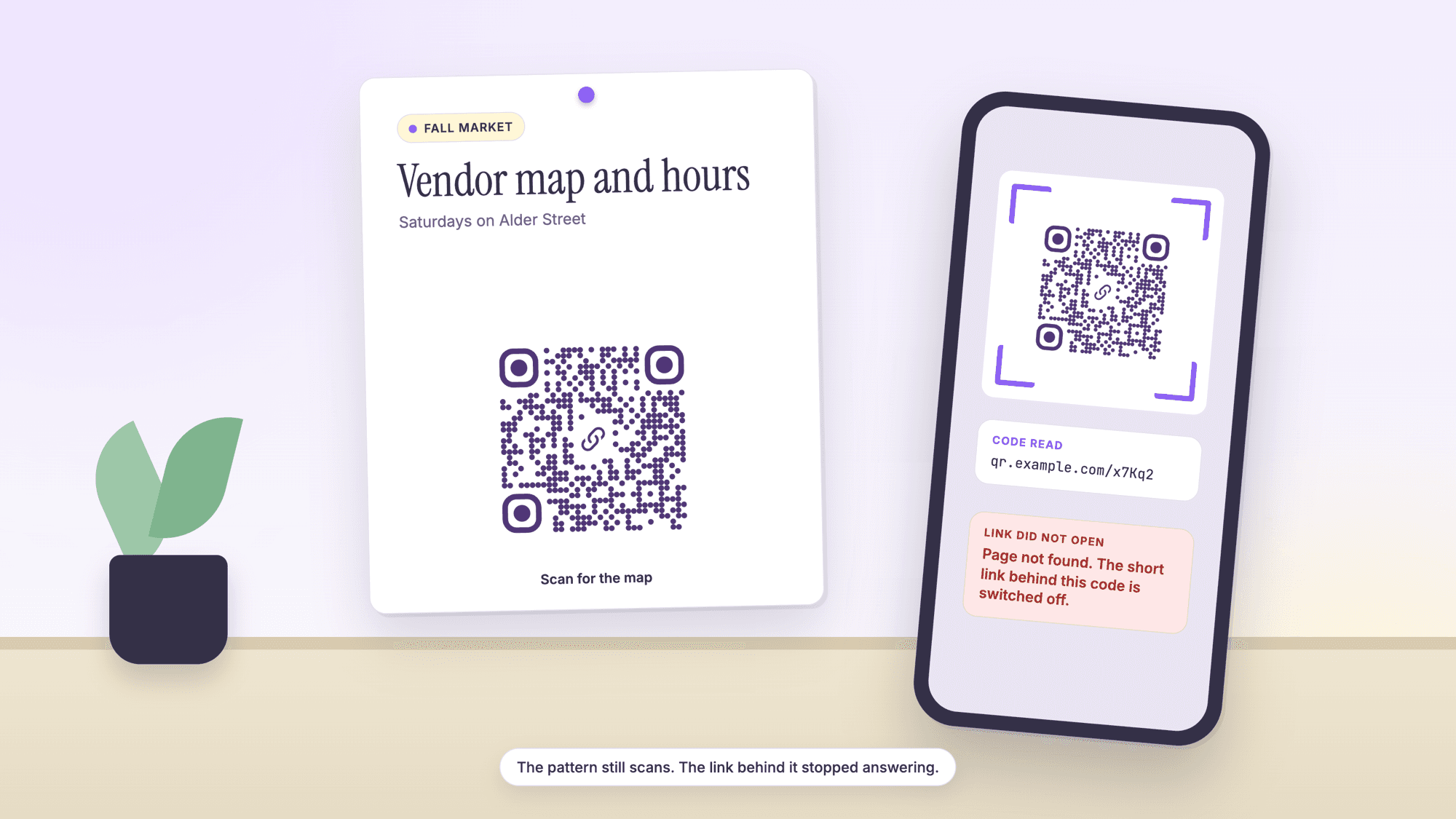
A QR code that says it has expired is almost never a worn out pattern. The pattern has no clock in it. What expired is something the code depends on: the short link of a dynamic code was switched off, a link shortener closed, the page was deleted, or the domain lapsed. Read the address inside the code and you will know which one, and whether it can be fixed.
This page is for the code that scans and then lands on an error, an expired notice or a payment page. If the camera will not read the pattern at all, that is a different problem with different fixes, covered in QR code not scanning.
The short version
The pattern does not expire. A QR code is printed data. It reads the same on the first day and the thousandth.
The link inside it can. Every expired code is a link that stopped answering, for one of five reasons below.
Find the cause by reading the address. Upload a photo of the code to our online QR scanner. It shows the address without opening it.
A short link on a QR tool's domain means a dynamic code that the tool switched off. Only that tool can switch it back on.
Your own address means the page or the domain is the problem, and both are yours to fix.
On QRCodePrime nothing is switched off on a timer. Static QR codes are unlimited and free with no account. Every free account includes 10 dynamic QR codes, free for life, with scan analytics, no credit card required, no watermarks, and no ads on the site or on the redirect.
What expired really means
An expired QR code is a working pattern that leads to a dead or blocked link. The code itself carries no expiry date and no way to count scans, because it is only a printed arrangement of squares that a phone turns back into text.
Two things happen when someone scans a link code. First the phone reads the pattern and gets an address. That step needs no internet and cannot expire. Then the phone opens the address, and that step depends on servers somebody has to keep running. When people say a code expired, the second step failed.
Dynamic codes add one more link to that chain. The pattern holds a short link owned by the QR tool, and the tool forwards each scan to your page. That forwarding is what lets you change the destination later, as described in how to edit a QR code after printing. It is also a switch that the tool controls.
Find the cause in one minute
The address inside the code and the message on the screen identify the cause between them. Read the code in the scanner first, then open the address in a browser and compare what you see with this table.
| Address inside the code | What the screen shows | Likely cause | Who can fix it |
|---|---|---|---|
| Short link on a QR tool's domain | Expired, deactivated, or a page asking you to pay | The tool switched the dynamic code off | The account holder, inside that tool |
| Short link on a QR tool's domain | Scan limit reached | The code hit a cap set by the tool | The account holder, inside that tool |
| Link shortener address | Not found, or a notice from the shortener | The short link was removed or the shortener closed | Nobody, if the service is gone |
| Your own page address | 404 or page not found | The page was moved, renamed or deleted | You, on your website |
| Your own page address | Domain for sale, parking page, or cannot find server | The domain registration lapsed | You, through your registrar, if you act quickly |
| Any address | The page opens, the content is over | The code was tied to an event or offer that ended | Whoever runs the page |
Save a screenshot of what you find. If the code belongs to a client or a former employee's account, that picture is the fastest way to explain what happened.
Cause 1: the tool switched the dynamic code off
When the address is a short link on a QR tool's domain, the tool has stopped forwarding it, and that follows from how many QR tools are sold. The code is made during a free period, it gets printed, and when the period ends the forwarding stops.
The tools say so themselves. Scanova's pricing page, read in September 2026, answers the question of what happens to a dynamic code after the free trial in one sentence: "Your Dynamic QR Code will stop working once the free trial ends." QR Tiger's FAQ page, read the same month, describes its free version as "three free dynamic QRs with a 500 scan limit each", so a free code there can also stop because it became popular.
Nothing is wrong with the print in these cases. The pattern still holds the same short link. The tool has simply stopped forwarding it.
The fix. Log in to the account that made the code and see what it asks for. If paying is worth less than a reprint, replace the code: make a new dynamic code, point it at the right page, and cover or reprint the old one. On QRCodePrime a free account includes 10 dynamic QR codes, free for life, with scan analytics, no credit card required and no watermarks, and there is no timer behind them. The free dynamic QR code generator is the place to start.
Cause 2: the link shortener closed or removed the link
A static code that points at a shortened link depends on the shortener for as long as the print exists. When the shortener goes, the code goes with it.
The clearest case is Google's own shortener. In July 2024 Google announced on its developer blog that goo.gl links "will no longer return a response after August 25th, 2025", and that after the shutdown the links would return a 404 response. On August 1, 2025 it changed course in part, writing that it would "preserve actively used links" and deactivate only links that showed no activity in late 2024. A seldom scanned code on a plaque or a product manual is exactly the kind of link that shows no activity.
The fix. There is none for the dead link. Replace the code, and this time point it at an address on a domain you own, or at a dynamic code whose destination you can change.
Cause 3: the page moved or was deleted
When a code holds your own address and the screen says not found, the page was moved or deleted, and this is the easiest cause to repair. Websites get rebuilt, files get renamed, and an old address quietly stops existing.
It happens to everyone. Pew Research Center's 2024 study of link rot found that "38% of webpages that existed in 2013 are not available today", and that a quarter of all the pages it sampled from 2013 through 2023 were no longer accessible by October 2023. A printed code lasts longer than most web pages.
The fix. Put a page back at the old address, or forward the old address to the new page from your website's redirect settings. Either one brings every printed copy back to life, because the code never stopped pointing at that address.
Cause 4: the domain lapsed
If the whole domain has lapsed, every code that points to it fails at once, and the clock is running. Domain registrations are rented by the year, and a missed renewal takes the website, the email and every printed code down together.
ICANN's Expired Registration Recovery Policy sets the minimum protections for common domain endings such as .com. Registrars must send at least two reminders, one "approximately one month prior to expiration" and one about a week before. After a registration is deleted, registries must offer a Redemption Grace Period of 30 days, during which the former holder can restore it through the registrar, and the policy lets registrars charge a restore fee. After that the name can be registered by anyone.
The fix. Log in to your registrar today and renew or restore the domain. Then turn on automatic renewal and add a second contact email that is not on the same domain, because reminders sent to an address on a dead domain never arrive.
Cause 5: the code was meant to be temporary
Some codes stop working on purpose, and no repair is needed. A sign-in code shown on a screen, a payment code at a checkout and a ticket for a past event are all built to work once or for a short time.
If a code like this fails, go back to the app or the site that showed it and ask for a fresh one. Be careful with any message that tells you a payment or delivery code has expired and offers a new code to scan: urgency plus a code is how the messages in our guide to QR code scams work, and you can check any code with the QR code safety check before opening it.
How to fix a printed code that stopped working
Match the repair to the cause, and start with the ones that cost nothing. In order:
1. Repair the destination. If the address is yours, restore the page or forward the old address. No reprint needed.
2. Renew the domain. If the domain lapsed, restore it within the grace period.
3. Reactivate, if the price is fair. If a tool switched the code off and the print run was large, paying that tool may be the cheapest route this once.
4. Replace the code. Make a new dynamic code, print it at the same size on matte label stock, and place it over the old one with its white margin intact. Put your name or logo on the label so nobody mistakes it for tampering.
5. Reprint. For anything that will be handed out again, fix the file and run the test routine for a QR code before printing first.
How to make sure it never happens again
A printed code lasts as long as the weakest thing it depends on, so reduce what it depends on. Five habits cover it.
Use a static code for anything permanent. A homepage, a WiFi login or a contact card does not need a redirect. Static codes from the free QR code generator depend on no account and no tool.
Use a dynamic code where the page will change, and make it with a tool that does not run on a timer. The difference between the two kinds is explained on static versus dynamic QR codes.
Print addresses on a domain you own. Not a shortener, not a file sharing link that can be revoked.
Name pages by purpose. An address ending in /menu survives a new season. One ending in /spring-menu-final-v2 does not.
Scan your printed codes on a schedule. Once a quarter, walk the building with a phone. It takes ten minutes and catches a dead page before a customer does.
For a business with codes on tables, signs and packaging, the pages for restaurants and marketing show where each kind of code fits.
Mistakes that make it worse
Reprinting before finding the cause. If the page is missing, a reprint with the same address fails the same way.
Making a new code with another timed offer. Read what happens when the free period ends before you print anything.
Assuming the code is broken because one phone failed. Open the address in a browser. If the page loads, the problem is that phone or its connection.
Deleting an old dynamic code to tidy up. Printed copies may still be out there. Check the scan count first.
Letting one person's login hold the company's codes. When that person leaves, so does the ability to fix anything. Use a shared company address for the account.
Sources
- Google Developers Blog: Google URL Shortener links will no longer be available (July 18, 2024, updated August 1, 2025)
- Google: We're updating our plans for goo.gl links (August 1, 2025)
- Pew Research Center: When Online Content Disappears (May 17, 2024)
- ICANN: Expired Registration Recovery Policy
- Scanova: pricing page and its questions about dynamic codes, read September 2026
- QR Tiger: frequently asked questions, read September 2026
Common questions about an expired QR code
Why does my QR code say expired?▾
Because the link inside it stopped answering, not because the pattern wore out. Usually the code is dynamic and the tool that made it switched off the forwarding when a free period or a plan ended. Read the code in a scanner to see the address. A short link on a QR tool's domain confirms it.
How do I fix an expired QR code?▾
Find the cause first. If the code holds your own address, restore the page or forward the old address and every printed copy works again. If a QR tool switched the code off, either reactivate it in that account or make a new dynamic code and cover or reprint the old one.
Can I reactivate an expired QR code for free?▾
Only the tool that owns the short link can reactivate it, and that is usually tied to paying. No other tool can revive it. You can replace it for free: every free QRCodePrime account includes 10 dynamic QR codes, free for life, with scan analytics, no credit card required and no watermarks.
Why did my QR code stop working after the free trial?▾
Because it was a dynamic code and the tool stopped forwarding its short link when the free period ended. Scanova's pricing page says a dynamic code will stop working once the free trial ends. The printed pattern is unchanged. It still points at the same short link, which no longer forwards anywhere.
Do QR codes stop working after a number of scans?▾
A QR code cannot count its own scans, so a static code never stops for that reason. A dynamic code can, if the tool behind it sets a cap. QR Tiger's FAQ describes its free dynamic codes as having a 500 scan limit each. QRCodePrime sets no timer on its dynamic codes.
My QR code goes to a page that says not found. Is the code broken?▾
No. The code read correctly and the page at that address is missing. If the address is yours, put a page back there or forward it to the new page from your website settings. The printed code starts working again the moment the address answers.
What happens to my QR codes if my domain expires?▾
Every code that points to the domain fails at once. Under ICANN policy, registrars send reminders about a month and about a week before expiry, and most deleted domains can be restored during a 30 day Redemption Grace Period. Renew quickly, then turn on automatic renewal.
How can I tell if a QR code will expire before I print it?▾
Read the file in a scanner and look at the address. If it is your own page, only your website can break it. If it is a short link on a QR tool's domain, the code depends on that tool, so read what the tool says happens when a free period or a plan ends.
10 dynamic QR codes with every free account, free for life, with scan analytics. No credit card, no watermarks, no timer behind the code.
Replace it with a code that stays onPublished by
QRCodePrime Team
Guides on making, printing and scanning QR codes
Published by the team behind the free QRCodePrime generator and scanner. The example codes in our illustrations are real codes made with the generator, numbers are either computed by us or quoted from a source we name, and the sources are linked at the end of each article. Found a mistake? Email hello@qrcodeprime.com and we will fix it.