
Google Maps QR Code: Make One That Opens the Right Pin
Last updated Oct 21, 2026
On this page
- The short version
- The four links Google Maps gives you for one pin
- How to make a Google Maps QR code in five steps
- Directions link or pin link: what the scan should open
- What you copy decides the print size
- Will old goo.gl map links keep working?
- What opens on iPhone and Android
- Google's own QR code is for reviews, not directions
- Static or dynamic for a Google Maps QR code
- Common mistakes with Google Maps QR codes
- Sources
- Common questions about Google Maps QR codes
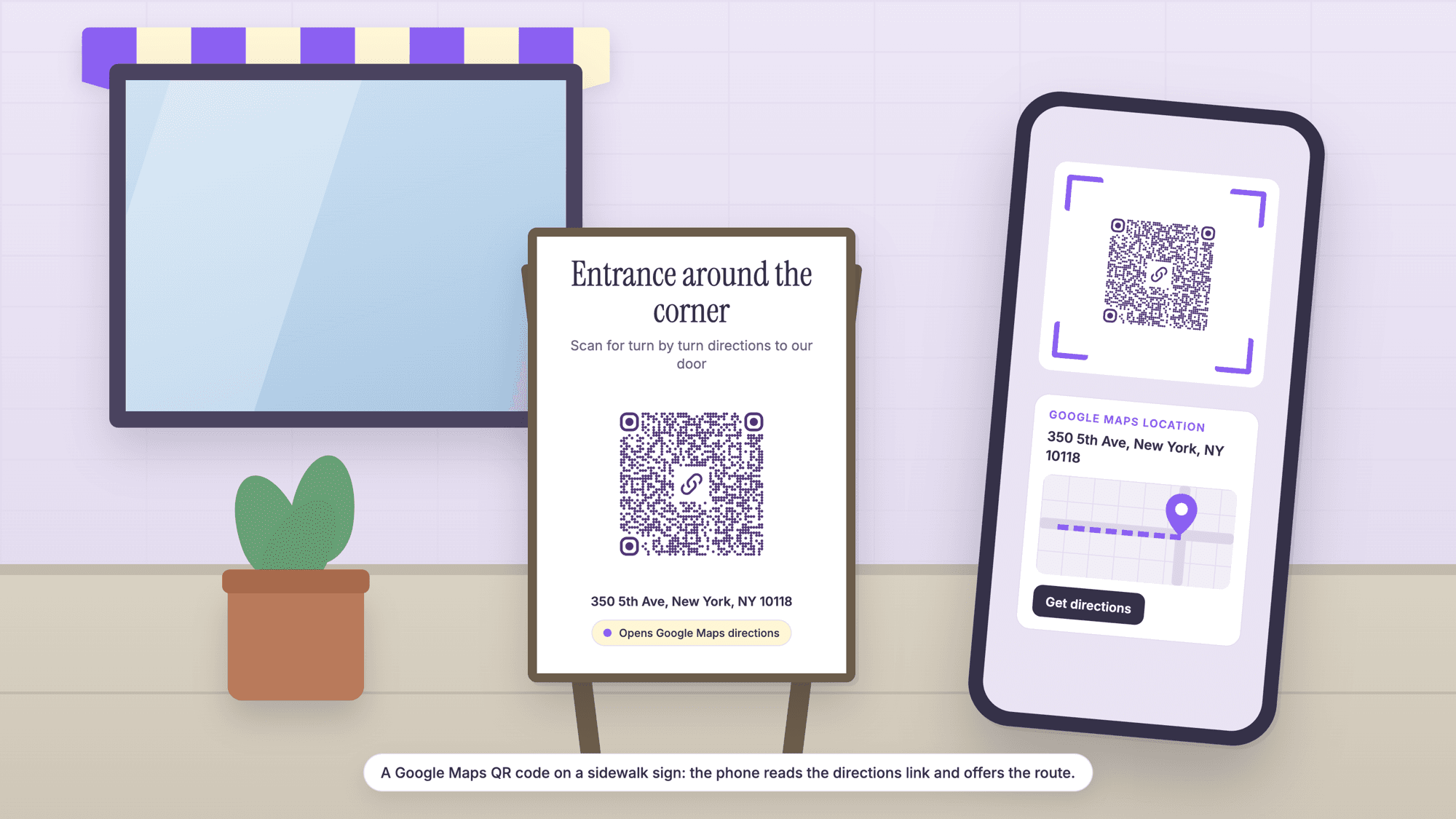
A Google Maps QR code holds a link to a pin, so one scan opens Google Maps on that spot with the pin already placed. To make one, open the place in Google Maps, tap Share, copy the link, paste it into a free QR code generator as a URL code, download the SVG, and scan the print with an iPhone and an Android phone before you order signs.
The part the generator pages skip is which link to paste, because Google Maps hands out four different links for the same pin, and they differ in length, in what opens, and in how long they can be trusted to work. Every number below was computed with the same encoder the generator uses, and the behavior on each phone comes from Google's and Apple's own documentation, read on October 11, 2026.
The short version
If you already have a share link from the Share button (it starts with maps.app.goo.gl), paste it as it is. It is short, Google says Maps share links keep working after the goo.gl shutdown, and it prints at 37 squares per side.
If you want a link that depends on nothing but Google Maps itself, write the documented search link: www.google.com/maps/search/?api=1&query= followed by the address, with plus signs for spaces. It opens the pin in the app or in a browser on any phone, and no API key is needed.
If you want the route, not the pin, write the directions link instead: www.google.com/maps/dir/?api=1&destination= followed by the address. The scan lands in directions with the destination filled in.
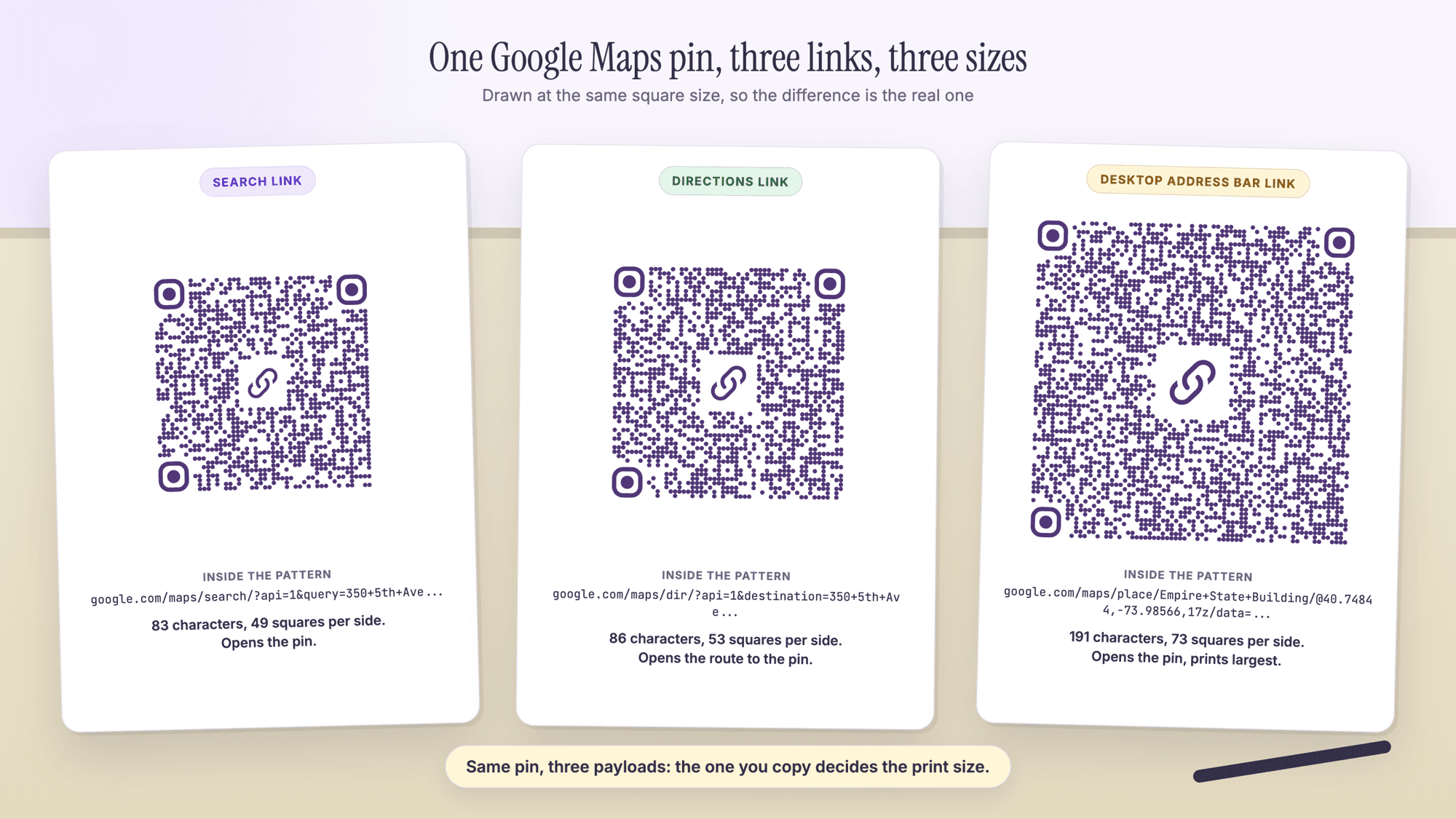
Do not paste the long link from a desktop browser's address bar. It works, but at 191 characters for the example below it makes a 73 square code.
On QRCodePrime, static QR codes are unlimited and free with no account, and every free account includes 10 dynamic QR codes, free for life, with scan analytics. No credit card required, no watermarks, and no ads on the site or on the redirect.
The four links Google Maps gives you for one pin
Google Maps can hand you four different links for the same place, and the one you copy decides the size of the printed code and what the phone does with it. The table was built on October 11, 2026 by encoding each format for one example, 350 5th Ave, New York, NY 10118, with the qrcode-generator library at error correction level H, the level the generator uses.
| The link | Where it comes from | Example | What a scan opens | Characters | Squares per side |
|---|---|---|---|---|---|
| Share link | The Share button in the app or on the website | maps.app.goo.gl/ plus a 17 character code | The pin, through Google's redirect | 41 | 37 |
| Search link | Written by hand from Google's Maps URLs documentation | google.com/maps/search/?api=1&query=350+5th+Ave%2C+New+York%2C+NY+10118 | The pin, with place details if Google matches a place | 83 | 49 |
| Directions link | Written by hand from the same documentation | google.com/maps/dir/?api=1&destination=350+5th+Ave%2C+New+York%2C+NY+10118 | Directions to the pin from wherever the phone is | 86 | 53 |
| Address bar link | Copied from a desktop browser's address bar | google.com/maps/place/Empire+State+Building/@40.7484405,-73.9856644,17z/data=... | The pin, with the map zoomed the way it was on the desktop | 191 | 73 |
The share link is the one Google's help describes. On an iPhone or iPad, Google's instructions are: "Search for a place or drop a pin on the map." Then "At the bottom, tap the place's name or address." and tap Share. The Android page gives the same steps, and on a computer the Share button on a place's panel shows a maps.app.goo.gl link with a Copy link button. The 17 character code after the slash was measured on a real share link in October 2026.
The search and directions links are documented by Google for developers, and anyone can type them. The documentation states that "You don't need a Google API key to use Maps URLs." The query parameter takes "a place name, address, or comma-separated latitude/longitude coordinates", and the address has to be URL-encoded: spaces become plus signs and commas become %2C. One detail matters: "If api=1 is NOT present in the URL, all parameters are ignored and the default Google Maps app will launch", so a search link without api=1 opens Google Maps with nothing selected.
The address bar link is the URL copied while a place is open on google.com/maps in a desktop browser. For the example it is 191 characters, 136 of them the viewport and a data= block, and it opens the right pin at more than twice the length of the search link.
How to make a Google Maps QR code in five steps
The job takes about five minutes with a phone and the free generator. Steps 1 and 2 use the share route from Google's help; if you would rather write the search link by hand, start at step 3 with that link.
Step 1. Open the place in Google Maps and check the pin. Search for the business or address, or touch and hold the map to drop a pin. Zoom in to the building outline and make sure the pin is on the right entrance and the right side of the street.
Step 2. Tap the place's name or address, then tap Share, then copy the link. The share sheet offers Copy link. On a computer, open the place, click Share, and click Copy link.
Step 3. Paste the link into the URL QR code generator. Open the URL QR code generator and paste it. Nothing is uploaded and no account is needed for a static code.
Step 4. Download the SVG for print, the PNG for screens. The SVG scales to any size without blur, which matters on a window decal or a sign. Keep the white margin the file comes with; Denso Wave, the company that invented the code, states that "QR Code requires a four-module wide margin at all sides of a symbol."
Step 5. Scan the print, not the screen. Print a test copy at the final size and scan it with an iPhone and an Android phone, including one without the Google Maps app. Then read it with the online QR scanner, which labels any maps.app.goo.gl, maps.google.com, google.com/maps or goo.gl/maps link "Google Maps location" and shows the full address inside the code without opening anything.
If the pin may move, make the code dynamic in step 3. A free QRCodePrime account includes 10 dynamic QR codes, free for life, with scan analytics, no credit card required and no watermarks. The printed pattern then holds a 38 character short link, so it stays at 37 squares per side whatever Maps link sits behind it, and the destination is changed from the dashboard without a reprint. The guide to editing a QR code after printing shows what that looks like.
Directions link or pin link: what the scan should open
A pin link opens the map with the place selected, and the person taps Directions. A directions link skips that tap and opens the route from wherever the phone is.
| What the scan opens | Link to use | When it fits |
|---|---|---|
| The pin, with the place details | Share link or search link | A sign where people want to see the place, hours and photos before they go |
| Directions to the pin from the phone's location | google.com/maps/dir/?api=1&destination=... | A sign people scan when they are already on the way: parking entrances, trailheads, venues with a hidden door |
| Directions with a travel mode set | The directions link with &travelmode=walking (or driving, bicycling, transit) | An event in a city where most people walk from a station |
| The pin, with the map framed like your desktop | Address bar link | Nothing on a sign; the extra length buys no useful behavior |
For the example address, the directions link is 86 characters and makes a 53 square code; adding &travelmode=walking makes it 105 characters and 57 squares. Both are small differences next to the 73 squares of the address bar link, so the choice between pin and directions is about what the person needs at the moment of the scan, not about size.
What you copy decides the print size
The longer the link, the more squares the code needs, and the bigger it has to be printed to stay readable. The floor in the table is the smallest width at which each code prints with four printer dots per square at 300 dpi and the four square margin on every side, following Denso Wave's guidance on code area. It is a floor for a code held in the hand, not a size for a sign.
| What is inside the code | Characters | Squares per side | Smallest print width, margin included | Square size in a 1.5 inch slot |
|---|---|---|---|---|
| Share link (maps.app.goo.gl) | 41 | 37 | 14.9 mm (0.58 in) | 0.85 mm |
| Search link, address | 83 | 49 | 18.8 mm (0.74 in) | 0.67 mm |
| Directions link, address | 86 | 53 | 20.1 mm (0.79 in) | 0.62 mm |
| Directions link with travelmode | 105 | 57 | 21.4 mm (0.84 in) | 0.59 mm |
| Desktop address bar link | 191 | 73 | 26.7 mm (1.05 in) | 0.47 mm |
| Plus Code inside a search link | 66 | 49 | 18.8 mm (0.74 in) | 0.67 mm |
| QRCodePrime dynamic short link | 38 | 37 | 14.9 mm (0.58 in) | 0.85 mm |
The last column is the part that bites. A sign designer often has a fixed slot, say 1.5 inches, and the code has to fit it. In that slot the share link gets squares of 0.85 mm and the address bar link gets squares of 0.47 mm, 45 percent smaller. The print test guide covers how to check a real print at a real distance.
For a place with no street address, Google's Maps help gives the Plus Code format, "JJXX+HR8, Seattle"; a Plus Code with the city inside a search link encodes at the same 49 squares as an address.
Will old goo.gl map links keep working?
Yes, for links Google Maps made. Google shut down its general goo.gl shortener on August 25, 2025, but its announcement makes an exception for Maps. The Google Developers Blog post says: "Note that goo.gl links generated via Google apps (such as Maps sharing) will continue to function." The links that stopped were ones people made with the retired Google URL Shortener; the post says those "will no longer return a response after August 25th, 2025."
So a sign printed years ago with a goo.gl/maps link is covered by Google's statement, and today's maps.app.goo.gl share links are not part of the shutdown at all. Some generator pages say Google's short map links expire or change format; none cites a Google source. If you want no redirect at all, the search link goes straight to google.com/maps with the address in it, and a dynamic code puts the redirect under your own control.
What opens on iPhone and Android
Google's documentation is specific about this. On Android: "If the Google Maps app is not installed or is disabled, the URL launches Google Maps in a browser and performs the requested action." On iOS the same page says: "If the Google Maps app is not installed, the URL launches Google Maps in a browser and performs the requested action." On any other device the link opens in a browser. So a Google Maps QR code works on an iPhone without the app; the pin shows on the Google Maps website in the phone's browser.
If you would rather send iPhone users straight into Apple Maps, Apple now documents a matching set of links. Apple's developer documentation on unified Maps URLs states: "In iOS 18.4 and later, macOS 15.4 and later, and watchOS 11.4 and later, the Maps platform provides a new, unified collection of URLs that offers the same functionality on all devices." Its place URL takes an address, for example maps.apple.com/place?address=1000%20Fifth%20Ave,%20NY,NY,10028, and its directions URL takes a destination with an optional mode of driving, walking, transit or cycling. An Android phone has no Apple Maps app, so a maps.apple.com link opens in the browser there, and one code cannot open the native map app on both platforms; the Google search link opens a map app on Android and a usable map everywhere else.
A third option is the location QR code generator, which encodes coordinates as a geo URI (geo:40.748440,-73.985664, 24 characters, 29 squares). The phone's camera decides which map app handles it, and that has varied between iOS versions, so test a geo code on an iPhone before printing it. The address QR code guide compares the Apple Maps and geo formats in more detail.
Google's own QR code is for reviews, not directions
Google Business Profile does generate a QR code, but it is a reviews code. Google's help page says: "To make it easier for customers to leave reviews on your Business Profile, you can create and share a link or QR code to request reviews." It also notes a limit: "Currently, reviews QR codes can only be generated on a computer browser, not on mobile devices." That code sends a customer to the review form, not to the pin, and Google suggests it for receipts, thank-you emails and a printed card in the store.
For directions, Google Maps itself offers a link, not a code, and the step from link to code happens in a generator. The Google reviews QR code guide covers the reviews code. If you want both on one card, that is two codes with two labels, because a scan opens one link.
Static or dynamic for a Google Maps QR code
Static is right when the pin is not going to move: a storefront, a clinic, a venue with one entrance. The link is inside the pattern, nothing can expire on QRCodePrime's side, and static codes are free with no account. Make it dynamic when the destination might change or when you want to count scans. With a dynamic code the pattern holds a short link and the Maps link behind it is edited in the dashboard, so the sign stays up. Every free account includes 10 dynamic QR codes, free for life, with scan analytics, no credit card required and no watermarks; the free dynamic QR code generator is where to make one. The static versus dynamic comparison has the full trade-off, and the guide to whether QR codes expire covers what can stop a code from working.
Common mistakes with Google Maps QR codes
Copying the address bar link. It is the longest link of the four and makes the largest code. Use the Share button or write the search link.
Trusting the pin without zooming in. A pin placed for an address can land on the back lot or the middle of a large building. Drop your own pin on the entrance and share that, or use coordinates in a search link.
Leaving api=1 out of a hand-written link. Google's documentation says that without it every parameter is ignored and Maps opens with nothing selected. The link still scans, which is why it slips through.
Printing the code with no address next to it. A person whose phone fails to scan needs the street address in plain text, and a line such as "Scan for directions" tells everyone what the code does.
Mixing up the two Google codes. The Business Profile QR code opens the review form. A directions code has to be made from the share link or a search link.
When a print fails on the day, the troubleshooting guide lists the fixes by symptom. For a real estate sign, the real estate QR code page and the guide for agents cover which code goes on the rider; the location QR code how-to covers the coordinate route for a spot with no address.
Sources
- Google Maps Platform: Maps URLs, Get Started (search and directions URL formats, api=1, behavior on Android, iOS and other devices)
- Google Maps Help: Share, send, or print directions from Google Maps (sharing a place from the iPhone app)
- Google Developers Blog: Google URL Shortener links will no longer be available (updated; the Maps sharing exception)
- Google Business Profile Help: Create a Google link or QR code to request reviews
- Apple Developer Documentation: Adopting unified Maps URLs (maps.apple.com place and directions URLs, iOS 18.4 and later)
- Google Maps Help: Find and share a location using Plus Codes
- Denso Wave: Point for determining the code area (module size and the four-module margin)
Common questions about Google Maps QR codes
How do I create a QR code for a Google Maps location?▾
Open the place in Google Maps, tap the place's name or address, tap Share, and copy the link. Paste that link into a URL QR code generator, download the SVG, print it with its white margin, and scan the print with two phones. On QRCodePrime a static code like this is free with no account.
How do I generate a QR code for my location?▾
Touch and hold the map in Google Maps to drop a pin where you are, tap the pin's address at the bottom, tap Share, and copy the link, then paste it into the URL QR code generator. For a link with no redirect, write a search link instead: www.google.com/maps/search/?api=1&query= followed by your address with plus signs for spaces, or by your coordinates.
Does Google Maps have a QR code feature?▾
Not for directions. Google Maps gives you a share link, and a generator turns it into a code. The QR code Google does make is in Google Business Profile, and it sends customers to your review form; Google's help says that code can only be generated on a computer browser, not on mobile devices.
Can a QR code open directions instead of just the pin?▾
Yes. Use Google's directions URL: www.google.com/maps/dir/?api=1&destination= followed by the address, with plus signs for spaces. A scan opens Google Maps in directions mode with the destination filled in, and adding &travelmode=walking, driving, bicycling or transit sets the mode. For the example address the directions code is 53 squares per side, four more than the pin link.
Do maps.app.goo.gl links expire?▾
Google's announcement of the goo.gl shutdown says that links generated via Google apps, such as Maps sharing, will continue to function. The shutdown on August 25, 2025 applied to links people made with the retired Google URL Shortener. If you want no redirect at all, use the documented search link with the address in it.
Will a Google Maps QR code work on an iPhone without the Google Maps app?▾
Yes. Google documents that when the Google Maps app is not installed, the URL launches Google Maps in a browser and performs the requested action, so the pin shows in Safari. To send iPhone users straight into Apple Maps, Apple documents maps.apple.com/place?address= links for iOS 18.4 and later, though those open a web map on Android.
Paste the share link or a search link. Static codes are free with no account. Every free account also includes 10 dynamic QR codes, free for life, with scan analytics. No credit card, no watermarks.
Make a Google Maps QR codePublished by
QRCodePrime Team
Guides on making, printing and scanning QR codes
Published by the team behind the free QRCodePrime generator and scanner. The example codes in our illustrations are real codes made with the generator, numbers are either computed by us or quoted from a source we name, and the sources are linked at the end of each article. Found a mistake? Email hello@qrcodeprime.com and we will fix it.